Scaling content through automation sounds straightforward until you’ve published 200 pages and watched them compete with each other, rack up thin-content penalties, and generate zero clicks. The promise of programmatic SEO is real—but so are the landmines. The difference between a strategy that compounds and one that collapses usually comes down to the tools you pick and the order in which you deploy them.
This guide breaks down how to evaluate a programmatic SEO tool stack by workflow stage, compares the most relevant options across keyword research, clustering, publishing, and quality control, and shows you how first-party Google Search Console data should anchor every decision you make before you write a single line of content.
What Is a Programmatic SEO Tool?
A programmatic SEO tool is any software that helps you create, structure, and publish search-optimized pages at scale—typically by combining a data source (keyword lists, location data, product attributes) with a page template and an automated publishing layer. The result is dozens, hundreds, or thousands of pages that follow a consistent structure while targeting distinct queries.
That definition is broad enough to create confusion. Let’s narrow it down.
How Programmatic SEO Tools Differ from AI Writing Tools
AI writing tools generate text. Programmatic SEO tools orchestrate a system. The distinction matters because many teams conflate them, plug in an AI content generator, publish 500 pages, and wonder why nothing ranks.
A genuine programmatic SEO workflow involves at least four distinct components: a keyword data layer (what queries to target), a clustering or intent-mapping layer (how to group those queries into distinct page types), a content generation layer (what goes on each page), and a publishing and QA layer (how pages get into your CMS and validated before indexing). AI content generation is just one of those four components—and arguably not the most important one.
For practical guidance on how these two categories relate to each other and how to evaluate them together, the post on how to choose the best AI SEO tool for your stack covers the differences clearly, including which tool types to prioritize based on your data maturity.
When Automation Helps—and When It Creates Thin Content
Automation helps when your source data is rich and varied enough to make each page genuinely distinct. If you’re deploying location pages with unique local data, integration pages with real feature-level comparisons, or use-case pages built from distinct product workflows, automation accelerates legitimate differentiation.
It creates thin content when the only variable is the keyword in the H1. Pages that swap a city name or competitor name into an otherwise identical template, with no supporting data, no unique examples, and no distinct angle, are thin by definition. Google’s helpful content guidance is explicit that pages should be created primarily for people, not just to capture search variations, and a batch of near-identical pages will almost always underperform or actively harm the domain.
Why First-Party GSC Data Matters More Than Generic Keyword Volume
Third-party keyword tools estimate volume. Google Search Console reports reality.
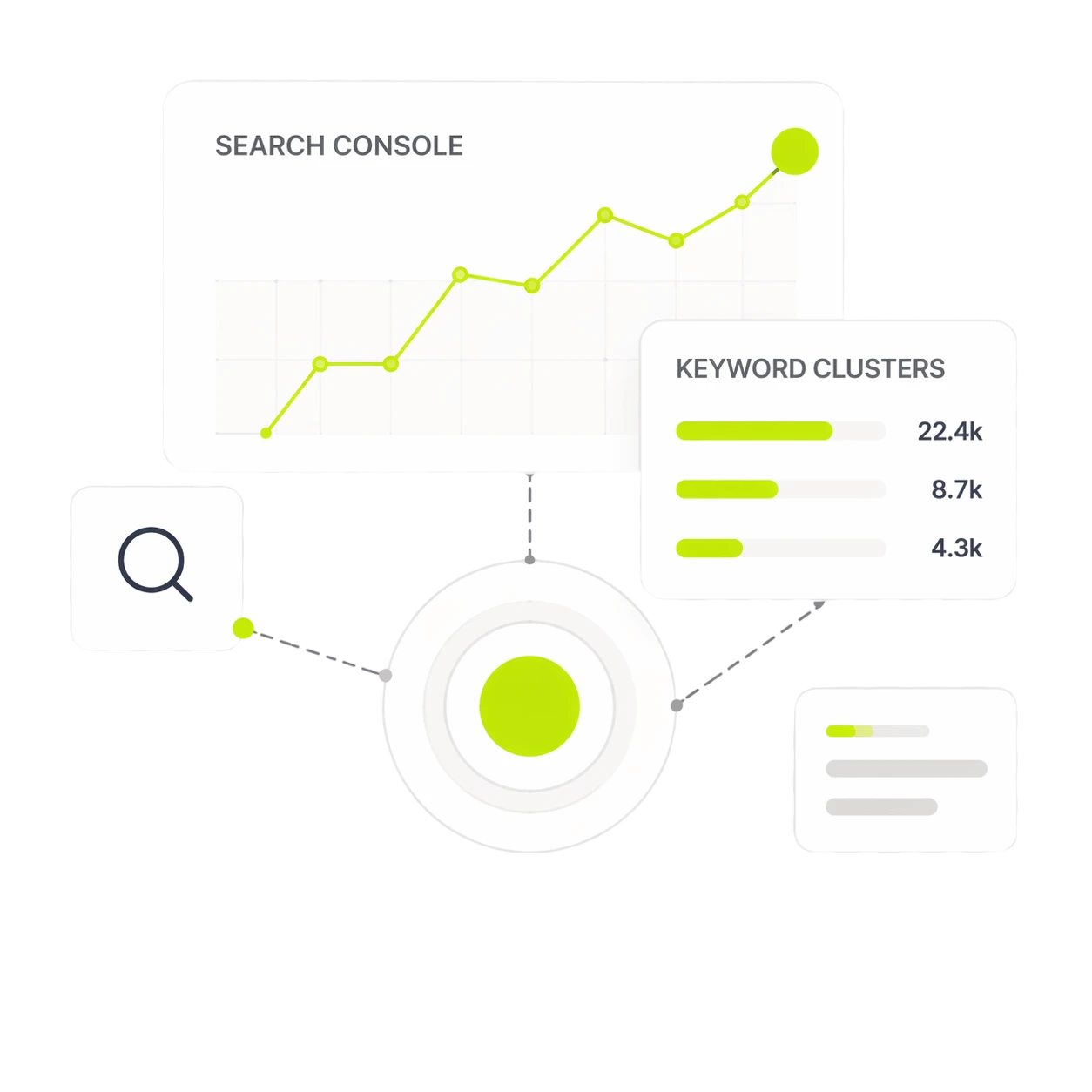
When you pull query data from GSC, you’re looking at what real users typed into Google and how your domain actually performed on those queries—impressions, position, CTR, and trend over time. Google’s own Search performance report documentation explains how clicks, impressions, CTR, and position are measured, which makes this data the cleanest baseline for prioritizing programmatic pages. This data tells you which pages are already close to ranking (position 11–30 is a high-value zone), which query clusters you already have authority in, and where gaps exist that programmatic pages could fill without cannibalizing existing content.
Generic keyword volume from tools like Ahrefs or Semrush is useful for discovery but shouldn’t be your primary decision layer when you have active GSC data. Your existing search footprint is the most accurate predictor of where new pages will rank.
The Best Programmatic SEO Tools by Workflow Stage
No single tool covers the entire programmatic SEO workflow well. The strongest stacks combine specialized tools at each stage rather than relying on one platform to do everything.
Keyword and Opportunity Discovery Tools
Ahrefs remains one of the strongest options for initial keyword discovery, particularly for competitive analysis and finding the structural patterns that successful programmatic sites use. The Ahrefs Keywords Explorer lets you filter by questions, by keyword difficulty ranges, and by SERP features—which helps you identify whether a query type is even programmatically viable before building templates.
Google Search Console (free) is the most underused discovery tool in this category. Filtering by queries in positions 11–30 surfaces real opportunities where your domain has existing relevance but no optimized page—exactly where programmatic templates add the most value.
Semrush and Ahrefs are useful for identifying competitor URL structures. If a competitor has 400 pages following /integrations/[tool-name]/ and they’re all ranking, that’s a validated programmatic page type worth investigating.
Keyword Clustering and Intent-Mapping Tools
This is the stage most teams skip or underinvest in, and it’s where most programmatic campaigns start to go wrong. Without proper clustering, you’ll publish pages that cannibalize each other or target intents you can’t actually satisfy with a template.
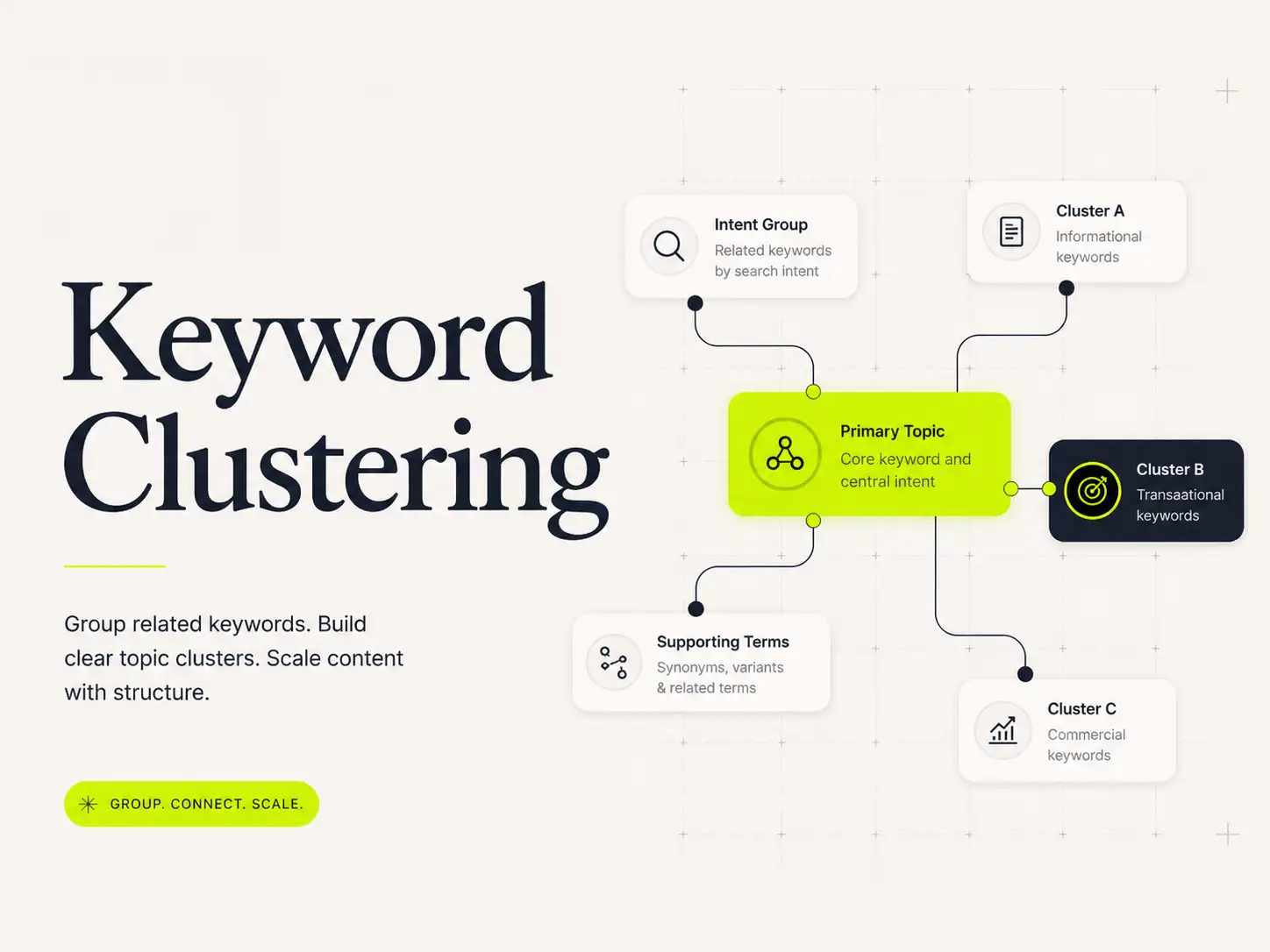
Purpose-built keyword grouping software for programmatic SEO works by grouping semantically related queries into discrete page opportunities based on SERP overlap, NLP similarity, or GSC co-occurrence. The goal is to ensure each cluster maps to one page type with a distinct, satisfiable intent.
Dango handles this natively within a GSC-connected workflow, clustering real queries rather than theoretical keyword lists. Tools like Keyword Cupid, Cluster AI, and Semrush’s Keyword Strategy Builder offer clustering as a standalone feature but require you to bring your own keyword list first.
Database and CMS Tools
Programmatic SEO at scale requires a structured data layer. The most common setup involves Airtable as the content database—storing your variable data (locations, use cases, integrations, product attributes) in structured fields that feed into page templates—connected to a publishing layer.
Webflow has become the preferred CMS for no-code programmatic publishing. Its CMS collections map cleanly to Airtable fields, and you can publish hundreds of structured pages without touching code. The Webflow + Airtable combination, often glued together with Zapier for automation triggers, is the most widely deployed no-code programmatic stack for B2B SaaS and marketing teams.
For teams on WordPress, WP All Import with a custom post type setup can achieve similar results. For engineering-led teams, headless CMS platforms like Contentful or Sanity with a custom frontend provide more flexibility but require significantly more build time.
AI Writing and Enrichment Tools
AI content generation tools—ChatGPT, Claude, Jasper, and Writer—are useful for populating the variable content sections of page templates. But they should never be the primary content layer. The safest use of AI in a programmatic workflow is enriching templates with human-written context: summarizing product documentation, expanding on unique data points, or drafting section-level copy that a human then reviews.
Dango takes a different approach by generating site-aware briefs and drafts grounded in your GSC data and existing site content, which means the output is specific to your domain’s actual search footprint rather than a generic treatment of the topic.
Internal Linking and Quality-Control Tools
Internal linking is where most programmatic campaigns either build momentum or leak it. Publishing 200 pages with no internal links pointing to them from existing authority pages is one of the most common and costly mistakes in programmatic SEO.
Link Whisper and Yoast SEO offer basic internal link suggestion within WordPress. Screaming Frog is invaluable for post-publish audits—identifying orphaned pages, duplicate content flags, and thin pages before they accumulate crawl budget waste. Google’s documentation on links and crawlability reinforces why crawlable internal links matter before a scaled page set can perform. Dango automates internal link suggestions from new programmatic pages to existing content as part of the publishing workflow, reducing the manual overhead of this step significantly.
How to Choose a Programmatic SEO Tool Without Picking the Wrong Stack
Start with Your Data Source, Not the Tool
The most common mistake in tool selection is starting with the tool. Teams read a comparison post, pick a platform that looks impressive, and then try to retrofit their data into its workflow. The result is either a tool that doesn’t fit your data structure or a workflow that forces you to collect data you don’t actually have.
Instead, start with what data you have. If you have GSC access, structured product data, and a list of locations or integrations, you already have most of what a programmatic campaign needs. Your tool choices should flow from that reality.
Check Whether the Tool Supports Page-Level Intent Mapping
Not all clustering tools map clusters to search intent. Some group keywords by semantic similarity alone, which can combine navigational, informational, and transactional queries into a single cluster—meaning the page you build will try to satisfy three different intents simultaneously and likely satisfy none of them well.
Look for tools that either incorporate SERP analysis (what types of pages are currently ranking for this query?) or let you manually assign intent labels before generating page types.
Look for Cannibalization Checks Before Publishing at Scale
If a tool can generate 500 page briefs but has no mechanism for comparing new pages against your existing content, you’re flying blind on cannibalization risk. Before you publish at scale, you need a way to check: does a page with this URL and target query compete with something that already exists on your site?
This is one of the strongest arguments for using GSC-native tools in your programmatic workflow. When your clustering and brief generation happen in the context of your actual site content, cannibalization catches itself naturally.
Evaluate Workflow Fit: No-Code, CMS-Native, or Custom Build
Three operational models exist for programmatic SEO publishing, and they require fundamentally different tool stacks:
No-code (Airtable + Webflow + Zapier): Fastest to start, lowest technical overhead, works well for teams without engineering resources. Limited in customization and scale ceiling.
CMS-native (WordPress + WP All Import, or HubSpot CMS): Good for teams already managing content in a specific CMS who want to add a programmatic layer without rebuilding their publishing infrastructure.
Custom build (headless CMS + custom frontend): Maximum flexibility, scales to any volume, but requires engineering ownership and ongoing maintenance. Best for companies where programmatic SEO is a core growth channel, not an experiment.
Compare Pricing, Limits, and Operational Complexity
Airtable’s free tier caps you at 1,200 records per base—enough for a small campaign but limiting for anything at real programmatic scale. Paid plans start at $20/user/month. Webflow CMS plans cap item counts by tier; a CMS plan supports 2,000 items, and you’ll need the Business plan or an Enterprise agreement for anything larger. Zapier costs scale quickly when you’re triggering hundreds or thousands of automation runs.
Factor in operational complexity too: a Webflow + Airtable + Zapier stack has three surfaces to maintain, three billing relationships, and three potential failure points. Simpler stacks are easier to debug when something breaks at 3am.
Recommended Programmatic SEO Stack for B2B SaaS Teams
For most B2B SaaS marketing teams running programmatic SEO without a dedicated engineering resource, this stack balances capability, cost, and operational manageability.
GSC-Native Planning and Prioritization
Start every programmatic campaign inside Google Search Console. Pull 3–6 months of query data, filter to positions 11–50, and identify query patterns that suggest scalable page types. This is more valuable than any third-party keyword list because it reflects your domain’s actual authority surface.
Dango connects directly to GSC and transforms this raw query data into a prioritized content plan, surfacing which page types would deliver the highest return based on your existing search footprint.
Keyword Clustering Before Page Generation
Never generate page templates before you’ve clustered your queries. Every cluster should map to a single page type with a single primary intent. If two clusters are too similar, they either need to be merged into one page type or differentiated by adding a data dimension that creates genuine distinction.
Use dedicated keyword grouping software for programmatic SEO at this stage to validate that each cluster is distinct enough to warrant a standalone page.
Template Briefs That Preserve Human Expertise
Your page templates need to include sections that can only be filled with real expertise, real data, or real examples. If every section of your template can be completed with AI-generated generic text, the pages will be indistinguishable from each other in any way that matters to Google or to your readers.
A strong B2B SaaS template brief includes: the unique data fields that vary by page (integration features, location-specific signals, use-case workflow steps), the human-expertise sections that require product knowledge or customer insight, and the SEO structure that applies consistently across the template.
Internal Links from Existing Authority Pages
Before you publish, identify which existing pages on your site should link to each new programmatic page type. For integration pages, your main integrations hub and any relevant feature pages are natural link sources. For use-case pages, your home page, solution pages, and relevant blog posts should all carry links to the new pages.
This step is non-negotiable. Programmatic pages without internal links are effectively invisible to Google’s crawl, regardless of how well-optimized they are on-page.
Quality Assurance Before Indexing
Use noindex while your QA process runs. Publish a batch of pages, validate them against your template spec (all required fields populated, no duplicate content between pages, internal links in place, meta data unique per page), then remove noindex once you’re satisfied. Google’s robots meta tag documentation explains how noindex works, and indexing imperfect pages creates cleanup work that’s significantly harder at scale.
Programmatic SEO Examples Worth Studying
The clearest way to understand what makes programmatic SEO work—or fail—is to look at real deployments across different page types.
Integration Pages and Comparison Pages
G2 and Capterra comparison pages are the canonical example of programmatic SEO at scale. Each /compare/[product-a]-vs-[product-b]/ page is built from structured review and feature data, making every page genuinely distinct despite following a consistent template. The data source is rich enough that pages don’t feel templated even when they are.
Zapier’s integration directory is another strong example. Each /apps/[integration-name]/integrations/ page combines product-specific data, use-case descriptions, and dynamic content from the Zapier platform. The pages rank because they contain information that’s genuinely unique to that integration pairing.
The failure mode here is building comparison or integration pages without actual data differentiating them. A /[your-product]-vs-[competitor]/ page that’s mostly placeholder copy with no real feature-level comparison is thin by definition and will struggle to rank against pages that contain real comparative information.
Location-Based Landing Pages
Yelp and Zillow are the textbook location-page examples. Every city, neighborhood, and zip code has a page with real data (reviews, listings, prices) that makes it genuinely useful for someone searching for that location. The data source—user-generated reviews and MLS listings—is rich enough that no two pages are identical.
The failure mode is creating location pages that just insert a city name into a template but contain no location-specific information. “Best project management software in Austin” that’s identical to “Best project management software in Chicago” except for the city name is thin content.
Use-Case and Industry Pages
Notion and Figma have deployed use-case pages effectively by targeting queries like “project management for marketing teams” or “design tool for startups.” These pages work because they contain genuine product workflow information tailored to the use case—not just generic copy with the industry name swapped in.
Template-Driven Glossary or Resource Pages
HubSpot’s marketing definitions library and Investopedia’s term pages are long-running examples of glossary programmatic SEO. The data source is structured definitions and supporting content that makes each term page distinct. Both sites have built significant topical authority partly through the breadth of these glossary pages.
What These Examples Get Right—and Where They Can Go Wrong
The common thread across all successful programmatic SEO examples is a data source rich enough to differentiate pages. When the data runs thin—when you’ve exhausted genuine variation and start publishing pages that differ only in their target keyword—the strategy stops working. The best programmatic SEO campaigns define their data ceiling before they start building templates.
A Practical Programmatic SEO Workflow from Data to Published Pages
Step 1: Pull Real Query Data from Google Search Console
Export 3–6 months of query data from GSC. Focus on queries in positions 11–50 (close enough to ranking that a well-optimized page can break through) and queries with consistent impressions but low CTR (indicating ranking presence without a good matching page).
Look for structural patterns in the queries: do you see /[tool] integration , /[use case] software , /[location] [service] , or similar patterns? These patterns indicate query clusters that can support programmatic page types.
Step 2: Cluster Queries into Scalable Page Types
Group your queries into distinct clusters where each cluster maps to a single page type with a consistent intent. A cluster of 40 queries around “CRM integration for [email tool]” can support an integration page template. A cluster around “project management for [team type]” can support a use-case page template.
Validate that clusters are distinct: two clusters that would produce nearly identical pages should be merged or further differentiated with an additional data dimension.
Step 3: Build a Reusable Page Template
Design your template with three layers: the fixed structure (H1 pattern, section order, meta tag patterns), the variable data fields (integration name, location, use case, product features), and the human-expertise sections (unique insights, examples, data points that require product or customer knowledge).
Every template should have at least one section that cannot be generated automatically. This is your differentiation anchor.
Step 4: Generate Briefs and Draft Content with Site Context
Briefs should specify the target cluster, the primary and secondary queries, the variable data fields to populate, the unique angle each page needs to cover, and the internal links to include. Site context matters here—a brief that knows what your site already covers avoids recommending content that duplicates existing pages.
For SEO content writing tools and workflow , the best setups combine automated brief generation with human review before any content is written or AI-generated—ensuring each page has a clear, defensible angle before resources go into producing it.
Step 5: Add Internal Links and Avoid Overlap
Map each new page type to its natural link sources in your existing site architecture. Add links from those existing pages before the new pages are indexed. Then add links from the new pages to relevant existing content, ensuring each new page is integrated into your site’s topical structure rather than floating as an orphan.
Check for query overlap between new pages and existing pages. If a new programmatic page targets a query that an existing blog post or product page already targets, you either need to redirect the existing page, consolidate the content, or adjust the new template’s target to avoid direct competition.
Step 6: Monitor Impressions, CTR, and Decay After Publishing
Once pages are indexed, set up a GSC filter to track their performance as a group. Watch for three signals: impression growth (indicating Google is crawling and indexing the pages), CTR (indicating the titles and meta descriptions are competitive), and position trends (indicating whether pages are gaining or losing ranking over time).
Decay—a page that ranks briefly and then falls—often indicates thin content or a cannibalization problem with an existing page. Investigate decaying pages quickly rather than assuming the problem will resolve itself.
Programmatic SEO Tool Comparison Matrix
Best Tools for Keyword Research
| Tool | Strength | Limitation |
|---|---|---|
| Dango | Keyword research automatically done by AI from first-party GSC data | |
| Ahrefs | Depth of keyword data, competitor URL analysis, SERP features filter | No GSC integration; works from estimated volume, not real performance |
| Google Search Console | Real performance data, free, shows actual query impressions | Limited to your existing search footprint; no competitor visibility |
| Semrush | Keyword gap analysis, broad database, question filters | Volume estimates can be imprecise for long-tail queries |
| Google Keyword Planner | Free, direct from Google’s ad data | Aggregates similar keywords; poor granularity for programmatic clusters |
Best Tools for Clustering
| Tool | Strength | Limitation |
|---|---|---|
| Dango | GSC-native, clusters real queries into page opportunities | |
| Keyword Cupid | SERP-based clustering, handles large keyword sets | Requires keyword list input; no GSC connection |
| Cluster AI | Fast, simple UI, good for mid-sized lists | Limited intent-mapping depth |
| Semrush Keyword Strategy Builder | Integrated with broader Semrush data | Output is topic clusters, not page-level programmatic structures |
For a deeper evaluation of specialist clustering tools, the review of programmatic SEO keyword grouping tools covers the major options in detail, including the trade-offs between SERP-based and GSC-native approaches.
Best Tools for CMS and Database Publishing
| Tool | Strength | Limitation |
|---|---|---|
| Webflow CMS | Clean template system, no-code, design quality | Item limits by plan; not ideal for 5,000+ pages |
| Airtable | Flexible relational database, good UI | Requires integration layer (Zapier/Make) to publish |
| WordPress + WP All Import | Widely supported, plugin ecosystem | Requires more technical setup for complex templates |
| Contentful | Headless, scales to any volume, API-first | Requires frontend engineering; significant setup cost |
Best Tools for AI Content Generation
| Tool | Strength | Limitation |
|---|---|---|
| Dango | Site-aware drafts grounded in GSC data and market-data | |
| Claude / ChatGPT | Flexible, high-quality output with good prompts | No site context by default; generic without domain-specific prompting |
| Jasper | Marketing-tuned, brand voice settings | Template-driven output can still be generic without good data inputs |
| Writer | Enterprise tone controls, compliance features | More suited to editorial workflows than programmatic scale |
Best Tools for Internal Linking and Optimization
| Tool | Strength | Limitation |
|---|---|---|
| Dango | Automated internal link suggestions tied to GSC data to improve rankings | |
| Screaming Frog | Deep crawl, identifies orphaned pages, duplicate content | Manual analysis step; no automated linking |
| Link Whisper | WordPress-native, suggests links as you write | Limited to WordPress; suggestions aren’t always contextually appropriate |
| Ahrefs Site Audit | Internal link analysis, orphan page detection | Diagnostic only; doesn’t suggest or automate linking |
Common Mistakes When Using Programmatic SEO Tools
Publishing Before Validating Intent
The most expensive mistake in programmatic SEO is publishing pages at scale before confirming that your templates match the search intent behind your target queries. If the SERP for your target query is dominated by listicles and you’ve built a landing page template, your pages will struggle regardless of how well-optimized they are technically.
Check the top 10 results for representative queries in each cluster before you finalize your template structure. The SERP tells you what Google considers the right page type for that intent.
Creating Duplicate Pages from Similar Keyword Clusters
Two clusters that appear distinct in a spreadsheet can produce pages that are functionally identical. “Project management software for remote teams” and “remote team project management tools” might justify separate pages in some contexts, but they might also produce near-duplicate content that cannibalizes each other. Merge-or-differentiate decisions at the clustering stage prevent this problem before it becomes a publishing problem.
Using AI Content Without Unique Data or Examples
AI-generated content without unique data inputs produces generic text. Generic text from 200 pages looks like a thin-content pattern to Google even if any individual page seems reasonable in isolation. Every programmatic page type needs at least one data dimension that’s unique to that page—product features, customer examples, location-specific data, integration-specific workflows—that can’t be replicated across the template without variation.
Ignoring Internal Links
Publishing programmatic pages without internal links is one of the most common and cleanly avoidable mistakes in this space. Internal links do two things: they help Google discover and crawl new pages, and they pass authority from established pages to new ones. Google’s SEO Starter Guide specifically recommends using links to help users and search engines discover related content. Both matter for programmatic SEO, where you’re asking Google to crawl and index a large number of new pages quickly.
Scaling Pages Faster Than Quality Assurance Allows
If your QA process can thoroughly review 20 pages per week and you publish 500 pages, 480 of them are effectively unreviewed. At scale, QA bottlenecks are real and the temptation to skip or thin out the process is high. Build your QA process before you scale your publishing cadence, not after.
Where Dango Fits in a Programmatic SEO Workflow
Dango is built as an AI-powered SEO platform that connects directly to Google Search Console and turns raw query data into a structured content workflow—from opportunity identification through clustering, brief generation, drafting, and internal linking. Here’s where it fits across the programmatic SEO stack.
Turning GSC Query Data into Prioritized Content Plans
Instead of starting with a third-party keyword list, Dango pulls your actual GSC query data and surfaces the opportunities your domain is best positioned to capture. Pages in positions 11–30 with consistent impressions but low CTR are flagged as high-priority targets. Query patterns that suggest scalable page types are identified automatically, giving you a prioritized content plan grounded in real performance data rather than estimated volume.
Clustering Real Queries into Page Opportunities
Dango clusters your GSC queries by topic and intent, grouping semantically related queries into distinct page opportunities. Because the clustering happens against your actual search footprint rather than a generic keyword list, the output maps to your domain’s existing authority—which makes the resulting pages more likely to rank and less likely to cannibalize each other.
Creating Site-Aware Briefs and Drafts
Dango generates briefs that account for what your site already covers. Before generating a brief for a new programmatic page type, it checks existing content for overlap, ensuring the new page has a distinct angle rather than duplicating something you’ve already published. Drafts generated by Dango are grounded in your site’s actual content and query history, not generic treatments of the topic.
Reducing Cannibalization Risk Before Scaling
The cannibalization check happens at the planning and clustering stage, not after pages are published. By mapping new page opportunities against existing site content before templates are built, Dango helps you catch potential overlap early—when it’s easy to redirect, merge, or differentiate, rather than after 300 pages are indexed and competing with each other.
Automating Internal Linking from New Pages to Existing Content
Dango identifies relevant internal link opportunities from new programmatic pages to existing site content and from existing authority pages to new pages. This step runs as part of the publishing workflow rather than as a manual post-publish audit, which means internal linking coverage is consistent across a large page batch rather than dependent on whoever has time to review pages individually.
Frequently Asked Questions
Is programmatic SEO only useful for large websites?
No. Programmatic SEO is a strategy for creating structured, scalable pages—and that’s valuable at any site size when you have a consistent data source. A B2B SaaS company with 40 integrations can deploy a well-structured integration directory with 40 pages. A local service business can build location pages for 15 service areas. The scale is smaller, but the structural approach—templated pages driven by a data source—produces the same benefits: consistent page quality, reduced production overhead, and clear topical coverage signals for Google.
Can programmatic SEO work for B2B SaaS companies with low search volume?
Yes, and it’s often more effective in low-volume B2B markets than high-volume consumer markets. Low-volume B2B queries tend to be highly specific and high-intent—someone searching for “CRM integration with [specific accounting software]” is a much more qualified lead than someone searching for “CRM software.” Programmatic pages targeting these specific, high-intent queries can drive disproportionately high conversion rates even with modest traffic numbers.
How many pages should you publish in a programmatic SEO campaign?
Publish as many pages as you have distinct, quality data to support—not as many as your template can technically generate. If your data source justifies 50 genuinely distinct pages, publish 50. If it justifies 500, publish 500. The number to avoid is the number that exceeds your data’s ability to differentiate pages. Publishing 500 pages when your data only supports 100 distinct treatments means 400 thin pages that will actively harm your domain.
Do programmatic SEO pages need human editing?
At minimum, they need human review. The practical question is what percentage of content requires active editing versus validation. A strong programmatic workflow—with well-structured templates, good data inputs, and site-aware AI generation—can produce pages that require light validation rather than heavy editing. But no programmatic workflow at current AI capability levels produces pages that are ready to publish without any human review. The review process can be systematized and made fast, but it cannot be eliminated.
What data do you need before using a programmatic SEO tool?
At a minimum: a list of entities that will drive page variation (integrations, locations, use cases, products), enough attribute data about each entity to differentiate pages (features, specifications, descriptions, local data), and a keyword data set that maps queries to those entities. For GSC-native workflows, your existing query data replaces or supplements third-party keyword lists. The richer your source data, the stronger your programmatic pages will be.
How do you prevent programmatic SEO pages from competing with each other?
Clustering is the primary prevention mechanism. If each cluster maps to a clearly distinct page with a distinct primary query and intent, pages won’t compete with each other. Beyond clustering, check for URL-level overlap between new pages and existing content before publishing, use canonical tags where appropriate, and monitor GSC for cannibalization signals (two URLs trading positions for the same query) after launch. If cannibalization appears post-launch, consolidation or redirection is usually the right fix.
Should programmatic SEO pages be indexed immediately?
No. The standard practice is to publish with noindex active, run your QA process across the batch, validate that all required fields are populated and pages meet your quality bar, confirm internal links are in place, then remove noindex and submit to GSC. Google’s guidance on asking Google to recrawl your URLs is useful once the QA pass is complete. Rushing to index means any quality issues are live while Google is making its initial assessments of the pages—and first impressions matter in how quickly pages get crawled and ranked.
What is the difference between programmatic SEO and AI content generation?
Programmatic SEO is a publishing system. AI content generation is one tool within that system. Programmatic SEO involves keyword research, clustering, data structuring, template design, automated publishing, internal linking, and quality assurance. AI content generation handles one part of one stage—the drafting of text within templates. A programmatic SEO campaign can run without AI content generation (using human writers to populate templates). It cannot run well without keyword clustering, intent mapping, structured data, and quality control—the components that determine whether pages are distinct and relevant, not just whether they’re grammatically correct.