Most conversations about AI and SEO collapse into one of two failure modes. Either they treat “AI agent” as a synonym for any tool that writes content, or they propose fully autonomous systems that publish at scale without a human anywhere in the loop. Neither gets you rankings.
A well-designed AI agent for SEO is neither a content mill nor a magic button. It is a structured, data-aware workflow that handles the repetitive, scalable parts of SEO — opportunity discovery, clustering, brief generation, monitoring — while keeping editorial judgment where it belongs: with people who understand search intent, brand positioning, and what a reader actually needs to read.
This guide is a practical implementation brief. It covers how to scope, design, QA, and measure an SEO agent using Google Search Console as your primary data source, with workflow patterns that apply to solo operators, in-house SaaS teams, and agencies running multiple clients.
1. What Is an AI Agent for SEO?
How AI agents differ from AI SEO tools
An AI SEO tool does one thing when you ask it to. You open it, input a keyword, and receive output. It is reactive and single-step. An AI agent, by contrast, orchestrates a sequence of tasks toward a defined goal — often using multiple tools, decision branches, and data sources — without requiring you to manually trigger each step.
The practical difference is meaningful. An AI SEO tool might generate a content brief if you paste in a keyword. An SEO agent might monitor your Google Search Console data each week, flag keywords crossing an impression threshold, cluster them automatically, generate a prioritized brief queue, and surface it in your project management tool — all without you logging in to initiate the sequence.
Agents are defined by three properties: they take inputs, reason over them, and take actions toward an outcome. In SEO terms, that means reading data, deciding what matters, and producing structured outputs that move a workflow forward.
What makes an SEO workflow truly agentic
A workflow becomes agentic when it includes at least some of the following properties:
- Goal orientation: The agent works toward a defined objective, not just a one-shot output
- Multi-step reasoning: It chains decisions based on intermediate results
- Tool use: It calls external data sources — GSC, a crawler, a CMS — rather than working from a static prompt
- Memory or context: It uses prior outputs to inform the next step
- Conditional logic: It handles branching outcomes based on what it finds
Not every SEO workflow needs all five. A keyword-clustering agent that reads GSC data and groups queries into topic clusters before surfacing brief recommendations is agentic in the most useful sense. It does not need to autonomously publish content to be valuable.
Where human judgment still matters
AI agents reduce cognitive load on repetitive decisions. They do not replace judgment on consequential ones. Before you automate anything in SEO, be explicit about where human review is non-negotiable:
- Search intent interpretation: An agent can cluster queries by semantic similarity. A person needs to verify that the cluster actually reflects a coherent user intent — and that your site is the right place to serve it.
- Brand and positioning alignment: Content that is technically accurate can still be off-brand, misleading, or contradict your product’s actual capabilities. No agent currently catches that reliably without training.
- YMYL and regulatory sensitivity: Health, finance, legal, and compliance topics require expert review regardless of automation level.
- Novel competitive dynamics: When a major competitor launches, when Google updates its ranking criteria, or when your niche shifts — these require human pattern recognition, not automated responses.
The goal of an SEO agent is not to remove humans from the loop. It is to bring humans into the loop only at the moments that require their judgment.
2. When an AI Agent for SEO Makes Sense—and When It Does Not
Best-fit use cases for in-house teams and agencies
SEO agents deliver the most value in workflows that are both high-volume and structurally repetitive. The best-fit scenarios are those where the same decision needs to be made many times with slightly different inputs.
Strong fits include:
- Opportunity triage: Scanning GSC weekly to identify keywords with rising impressions but stalled rankings
- Content brief generation: Turning clustered keyword groups into structured briefs at scale
- Rank decay detection: Monitoring position drops across a large keyword set and surfacing pages that need refreshing
- Technical SEO monitoring: Checking for new crawl errors, missing meta descriptions, broken internal links, or indexation drops
- Internal linking: Identifying pages that should link to newly published content based on topical overlap and anchor text gaps
Agencies benefit additionally from multi-client parallel workflows — the same agent logic running across different GSC accounts with client-specific guardrails.
Tasks that should stay human-reviewed
Some SEO work resists automation not because AI cannot produce an output, but because the output quality cannot be verified without domain expertise:
- Final content editing and fact-checking, particularly for data-heavy or opinion-driven pieces
- Strategic decisions about which topic clusters to pursue given business goals
- Competitive positioning and differentiation from known market leaders
- Any output that will go to a client for approval without independent review
The clearest signal that a task should stay human-reviewed is when the cost of a wrong output is high enough that you would not want to discover the error after publishing.
Signs you need better data before more automation
The most common reason SEO agents underperform is poor input data, not weak AI. Before building automation, pressure-test your data layer:
- No GSC access or limited GSC history: An agent that cannot see real query and position data will default to third-party volume estimates — which are notoriously noisy for long-tail and brand-adjacent queries.
- Uncrawled or inconsistently structured site content: Internal linking and content gap automation requires knowing what is already on the site. If your crawl data is incomplete, your agent will make recommendations against a partial picture.
- No defined success metric: Automation without a measurable target tends to optimize toward output volume rather than ranking improvement.
- Content quality baseline is unclear: If you do not know what a good brief or article looks like for your site, you cannot evaluate whether the agent’s output meets the standard.
Fix the data and define the benchmark before you build the automation.
3. The GSC-First SEO Agent Framework
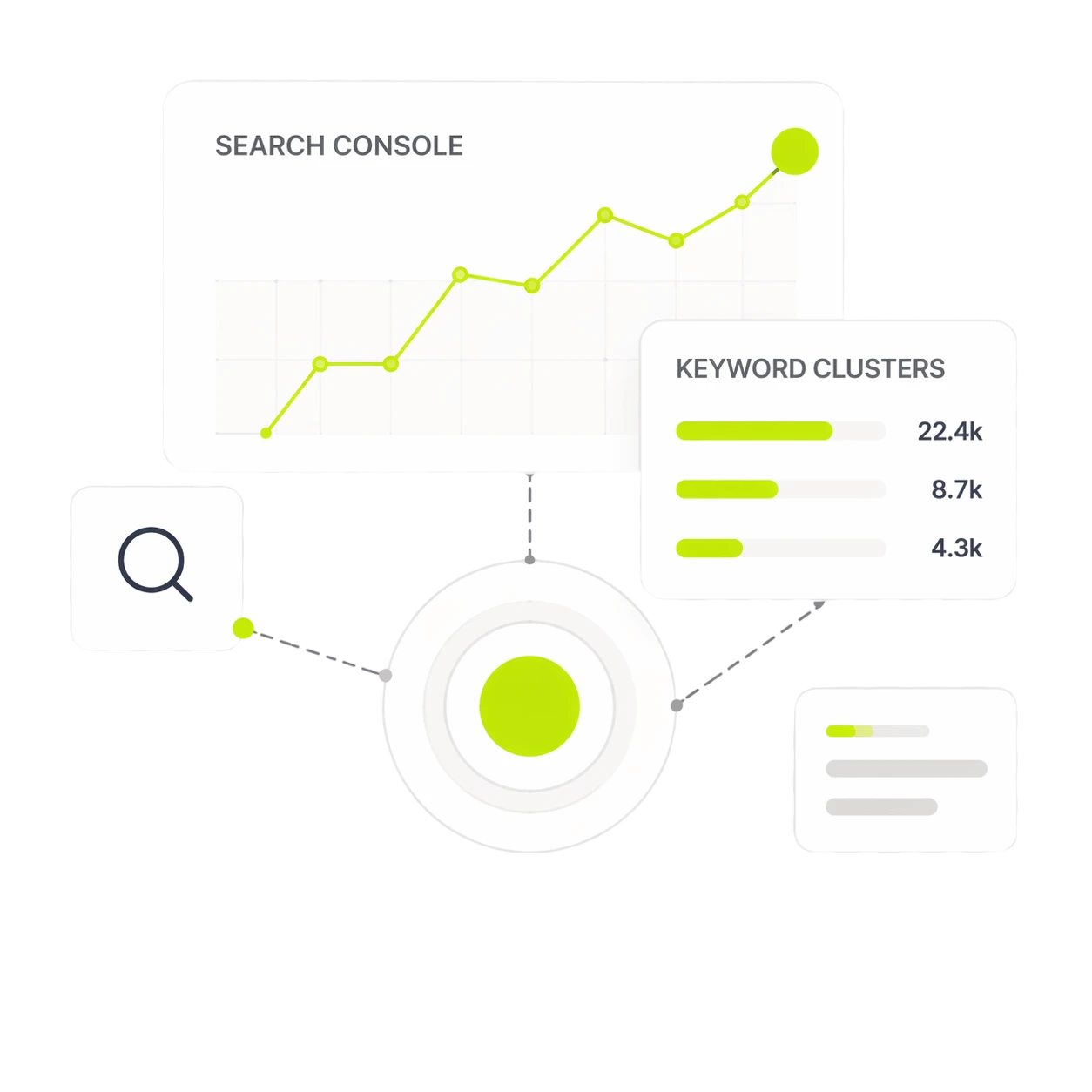
The strongest SEO agents are built on first-party data. Third-party keyword tools estimate demand. Google Search Console reports what Google has actually shown your site for, and at what position. Starting from GSC gives your agent real signal instead of modeled guesses.
Start with real impressions, queries, and position data
Pull your Google Search Console Performance report data into your agent’s context with these core dimensions:
- Query: The actual search term that triggered an impression
- URL: Which page Google associated with that query
- Impressions: How many times the page appeared in search results for that query
- Position: Where it appeared on average
- CTR: How often searchers clicked through
The actionable quadrant is high impressions, low CTR, low-to-mid position (typically positions 8–30). These are queries where Google already thinks your content is relevant — you just have not convinced it or the searcher to move you up. That is the highest-confidence place to invest SEO effort.
Cluster opportunities before generating content
Feeding individual keywords into a content generation workflow is one of the most common mistakes in SEO automation. Most queries that represent meaningful opportunities are not standalone — they are part of a topic cluster that a single well-structured page can serve.
An SEO agent should group GSC queries by semantic relationship before anything else. This produces clusters that reflect actual search behavior rather than assumed intent. The agent can then recommend one content action per cluster rather than one piece of content per keyword.
Keyword clustering with Google Search Console data shows precisely why this matters: the best clustering approaches work from actual SERP overlap and GSC performance, not just NLP similarity. The agent should cluster before it plans, and plan before it creates.
Prioritize by ranking upside, not keyword volume alone
Volume-based prioritization sends agents after keywords that are competitive precisely because they are high-volume. Instead, build a prioritization score that weights:
- Ranking upside: Distance between current average position and the first page (position ≤ 10)
- Impression volume: Higher impressions at position 15–30 means real search demand exists
- Page-level authority signals: Pages with existing backlinks and internal links are faster to move up
- Content freshness: Pages that have not been updated in 12+ months may rank for queries they no longer fully serve
This ranking-upside framework means your agent is working on problems it can actually solve, not chasing volume signals that reflect competitive difficulty.
4. Core Workflows an SEO Agent Can Automate
Keyword research and opportunity discovery
An SEO agent can run recurring keyword discovery without manual intervention. Connect it to your GSC export, a scheduled crawl, and optionally a SERP API. The agent’s job in this workflow is to surface net-new queries with impression momentum — queries appearing in GSC for the first time, or queries with a meaningful week-over-week impression increase — and classify them against your existing content map.
The output is not a keyword list. It is a decision queue: clusters that do not have a ranking page, clusters where your current page is mismatched to query intent, and clusters where a small content update would cover the gap.
Content brief generation and SERP gap analysis
Once opportunities are clustered and prioritized, an SEO agent can generate structured content briefs automatically. A well-designed brief agent pulls:
- The primary query cluster and supporting queries from GSC
- The current ranking page (if any) and its gaps against SERP competitors
- The recommended structure (new article, update existing, add a section)
- Suggested headings based on SERP patterns and internal content gaps
This is one of the highest-leverage automation targets in an SEO workflow. Brief generation is time-intensive when done manually and structurally repetitive enough that a well-prompted agent can produce drafts that require only light editing rather than full reconstruction.
Internal link recommendations from existing pages
Internal linking automation is genuinely one of the clearest wins for an SEO agent. The inputs are well-defined (existing pages, anchor text patterns, topical overlap), the task is mechanical, and the volume makes manual execution impractical at scale.
A solid internal linking agent crawls your site content, maps topical clusters, identifies new pages that lack incoming internal links from relevant existing content, and recommends specific source pages and anchor text. Critically, it should also flag when a new page is competing with an existing page for overlapping queries — a signal that consolidation might be more valuable than more internal links.
Technical SEO monitoring and issue triage
Technical SEO monitoring is a natural fit for agent automation because the monitoring logic is rule-based and the issue taxonomy is finite. A technical SEO agent can:
- Monitor GSC coverage reports for new indexing errors and exclusions
- Check for missing or duplicated title tags and meta descriptions after content publishes
- Flag pages that lose their inclusion in sitemaps or canonical reference
- Alert when Core Web Vitals scores drop across a URL set
- Surface orphaned pages — content with no incoming internal links — after new content publishes
The agent should triage, not diagnose. Flag the issue, surface the affected URLs, classify the severity, and route to the person responsible.
Rank tracking, decay detection, and refresh alerts
Rank decay is one of the most undermonitored problems in SEO. Pages that rank well are often left alone until traffic drops significantly — by which point re-ranking is harder. An SEO agent can monitor position trends continuously and alert on leading indicators before traffic loss becomes visible:
- Position drops of 3+ places across a week
- CTR declines without position changes (often a sign of SERP feature displacement)
- Pages with high impressions whose click volume has flattened or declined
- Content that is 12+ months old and ranking for queries where freshness matters
Configure decay alerts as a trigger for a refresh workflow, not just a notification. When the alert fires, the agent should already have pulled the current page content, the GSC query performance, and a basic content gap analysis — so the person reviewing it has context, not just a warning.
5. How to Build an AI Agent for SEO Step by Step
Step 1: Define the job, inputs, and success metric
Before you write a single prompt or connect a data source, write a one-paragraph job description for the agent. What specific task is it performing? What data does it take in? What does a good output look like? What metric determines whether it is working?
A vague agent brief produces vague outputs. “Help with SEO” is not a job. “Every Monday, pull the previous week’s GSC query data, identify clusters with more than 200 impressions and average position between 8 and 25, and generate one prioritized brief per cluster” is a job.
Success metrics should be measurable without the agent’s own output: average position change for pages touched by agent-recommended briefs, time from opportunity discovery to published content, percentage of briefs that require no structural revision.
Step 2: Connect data sources such as GSC, sitemap, CMS, and crawl data
An SEO agent without external data connections is just a prompted language model. The data layer is what makes it site-aware and therefore actually useful.
Minimum viable data connections for most SEO agents:
- Google Search Console API: Query performance, coverage, and URL inspection
- Sitemap and crawl data: What pages exist, their current structure, and any technical issues
- CMS access or content database: Existing content for gap analysis and internal linking
- SERP data (optional): For competitive gap analysis and featured snippet targeting
Start with GSC and sitemap. Add SERP and CMS data when the simpler workflow is running reliably.
Step 3: Create prompts, rules, and guardrails
Prompts for SEO agents need to be more structured than conversational prompts. They should specify the output format, include constraints, and define what the agent should do when it encounters ambiguous inputs.
Guardrails to include:
- Output format requirements: Specify whether output should be JSON, markdown, a table, or prose — and stick to one format consistently
- Factual constraints: The agent should not make claims about competitor traffic, backlink counts, or ranking factors without citing its data source
- Scope limits: Define explicitly what the agent should not do — for example, it should not recommend deleting pages without human review
- Hallucination guards: For brief and content generation, require the agent to cite its SERP source for any structural recommendation
The foundational SEO framework for AI workflows makes a point that applies directly here: even AI-driven workflows require crawlability, relevance, authority, and usefulness as their foundation. Your prompts and guardrails are the mechanism that keeps the agent aligned with those fundamentals.
Step 4: Add approval checkpoints before publishing
No content recommendation, meta data change, or internal link addition from an SEO agent should go live without a human sign-off checkpoint — at minimum in the early weeks of a workflow.
Design your approval checkpoints by consequence level:
- Low consequence (e.g., rank decay alert, keyword cluster summary): Can be delivered directly without approval
- Medium consequence (e.g., content brief, internal link recommendation): Needs human review before action is taken
- High consequence (e.g., meta description update, redirect recommendation, article publication): Requires explicit approval from a named person
Build these checkpoints into the workflow tool itself, not as an afterthought. A workflow that requires you to remember to check before publishing is a workflow that will eventually skip the check.
Step 5: Measure output quality and ranking impact
Measuring an SEO agent’s performance requires separating two distinct questions: Is the output quality acceptable? And are the outputs actually improving rankings?
Output quality metrics to track from week one:
- Brief revision rate (how often does a human substantially rewrite the agent’s brief?)
- Hallucination rate (how often does the agent make a claim unsupported by its source data?)
- Approval rate (what percentage of outputs get approved without changes?)
Ranking impact metrics to track from weeks 4–12:
- Average position change for pages updated or created from agent briefs
- Impression and CTR change for pages touched by the agent’s internal link recommendations
- Time from opportunity identification to published content (velocity metric)
Separate the two measurement tracks, or you will draw wrong conclusions. Output quality can be good while ranking impact is flat (the agent is producing good briefs, but the briefs are not being executed). Ranking impact can improve while output quality is mediocre (the site is in a low-competition niche where almost any content helps).
6. Tooling Options: No-Code, MCP, APIs, and SEO Platforms
The right tooling choice depends on your technical resources, the complexity of your workflow, and whether you want to maintain custom infrastructure. There is no universal answer, but the decision tree is reasonably clear.
When to use no-code orchestration tools like n8n
No-code or low-code workflow tools — n8n, Make, Zapier — are the right starting point if your team does not have a developer available and your workflow logic is linear rather than deeply branching. These tools handle common data connectors (GSC, Airtable, Notion, Slack) well, and they let you prototype an SEO agent workflow without writing code.
The limitation is flexibility. When your workflow needs custom logic — dynamic clustering based on GSC thresholds, multi-step SERP analysis, site-aware content generation — no-code tools hit their ceiling fast. They are excellent for scheduling, routing, and notification workflows. They are less suited for the reasoning-heavy parts of an SEO agent.
When MCP or API-based workflows are worth it
Model Context Protocol (MCP) and direct API integrations give you the most control over what data your agent sees, how it reasons, and what it outputs. If you are building a workflow that needs to call GSC’s API, pass results to a language model for analysis, and then write structured output to a CMS — an API-based approach will be more reliable and easier to debug than stitching together no-code connectors.
MCP is particularly useful when you want to give an AI model structured access to specific tools — your site’s crawl data, your internal content database, your GSC account — without giving it unconstrained internet access. It creates a defined interface that reduces the risk of the agent operating outside its intended scope.
When an SEO platform is better than building from scratch
Building from scratch is the right choice when your use case is highly specific to your site’s data, team structure, or content workflow. For most teams, the time cost of custom build outweighs the marginal value of full customization — particularly if a dedicated SEO platform already handles the core workflow.
If your goal is a GSC-connected, clustering-aware, brief-generating SEO workflow, the question is whether to build that infrastructure or use a platform that has already solved it. The answer usually depends on how differentiated your workflow needs to be. For a programmatic SEO tools comparison across tool categories — from crawling and clustering to CMS publishing and AI generation — the differentiation factors are data quality, workflow depth, and whether the tool treats your site as the starting point or as an afterthought.
How Dango fits a site-aware, GSC-led SEO workflow
Dango is built around the same GSC-first logic that makes SEO agents most effective. It connects directly to Google Search Console, clusters your real queries into topic systems, generates site-aware briefs calibrated to your actual ranking positions, and produces articles that include structured internal linking.
For teams evaluating whether to build an agent workflow from scratch or use a purpose-built SEO platform, the question is what you are trying to achieve. If the goal is faster, higher-confidence content decisions driven by your own first-party search data — rather than a bespoke automation system — Dango is designed to handle that without the build overhead.
For a broader comparison of where different tools fit in the SEO stack, the best AI SEO tools for workflow automation guide covers tool categories, selection criteria by team type, and the workflow integration patterns that determine whether a tool will actually improve output quality or just increase volume.
7. SEO Agent Quality Control: Preventing Bad Automation at Scale
Automation scales both good decisions and bad ones. A QA framework is not optional — it is what separates an SEO agent that helps the site from one that gradually introduces technical debt and content quality problems across hundreds of pages.
How to reduce hallucinations and unsupported claims
Hallucination in SEO content is a specific risk: the agent produces a sentence that sounds authoritative but is either factually wrong or unverifiable. In editorial content, this is a reputational problem. In technical SEO recommendations, it can be an operational one.
Practical reduction strategies:
- Require the agent to cite its data source inline when making any factual or competitive claim
- Run content through a secondary check against a defined source list before final approval
- Restrict the agent’s ability to make claims about topics not in its connected data sources — if the agent only has access to GSC and your sitemap, it should not be opining on competitor domain authority
- Use temperature settings conservatively for factual content tasks; higher temperature is appropriate for creative variation, not accuracy
Editorial QA checklist for AI-generated briefs and drafts
Before any agent-generated brief or draft goes to a writer or to publishing:
- Does the primary cluster match the intended search intent?
- Are all recommended headings substantiated by SERP evidence?
- Has the draft been reviewed for factual claims that require source verification?
- Is the tone and framing consistent with the site’s brand voice?
- Are internal link recommendations pointing to real, existing pages?
- Does the draft avoid over-optimized keyword repetition that degrades readability?
- Has the intro been verified to accurately reflect what the article covers?
Technical QA for metadata, schema, links, and indexability
Technical issues introduced by automation are particularly costly because they can affect multiple pages simultaneously. Before any technically-adjacent agent output goes live:
- Does the generated title tag stay within the recommended character range?
- Does the meta description accurately reflect the page content?
- Are any recommended schema additions valid against schema.org specifications?
- Do all internal link recommendations point to canonical URLs, not parameter variants?
- Is the page correctly included in the sitemap after publishing?
- Are redirects (if any) implemented as 301s and resolving correctly?
Policy, originality, and E-E-A-T checks
Google’s guidance on generative AI content explains how E-E-A-T criteria — Experience, Expertise, Authoritativeness, Trustworthiness — apply to AI-generated content. An agent that generates content without author attribution, without real experience signals, and without source citations is generating content that is technically publishable but structurally weak from an E-E-A-T standpoint.
Build E-E-A-T considerations into your agent’s output requirements:
- Author attribution and bio for editorial content
- Source citations for data claims
- First-person experience signals where appropriate (human editorial addition, not agent-generated)
- Review dates for time-sensitive topics
Originality checks should be run on any content that follows a structured template pattern — particularly in programmatic SEO workflows where similar pages are generated at scale. Template-based content is not inherently problematic, but it should be differentiated by data, not just variable substitution.
8. AI Agent for SEO Examples by Team Type
Solo SEO or founder workflow
A solo operator needs an agent that reduces context-switching rather than one that handles maximum complexity. The highest-leverage workflow for a solo SEO:
Weekly trigger: GSC data pull → cluster analysis → top 3 opportunities flagged in email or Slack with brief outlines attached. On Monday morning, the founder reviews three briefs, approves or modifies one, and has a writing task ready to schedule for the week.
The agent handles the scanning and prioritization. The human handles all creation and editing decisions. No publishing automation.
Tools: GSC API or a connected platform like Dango, a scheduling trigger (n8n or a simple cron), and a notification channel.
In-house SaaS marketing team workflow
A SaaS marketing team typically manages a mix of editorial content, feature pages, and programmatic landing pages. The SEO agent workflow should mirror that structure:
Inputs: GSC query data, product changelog (for feature content alignment), CMS content inventory, competitor SERP data.
Outputs: Weekly opportunity queue by content type (editorial, product, programmatic), briefs for approved opportunities, internal link recommendations for recently published content, rank decay alerts for key product pages.
Approval layer: Content lead reviews the opportunity queue and approves brief generation. Writer receives approved brief. Editor reviews draft before publication.
This workflow reduces the SEO team’s time on discovery and brief writing — the most repetitive parts — while keeping editorial quality under human control.
Agency multi-client workflow
For an agency, the primary challenge is running consistent SEO logic across clients with different sites, audiences, and content strategies. The agent should be parameterizable by client, not rebuilt from scratch for each account.
Architecture: One base workflow template with client-specific configuration: GSC account credentials, tone and brand guidelines per client, content type priorities, and approval routing to client-specific channels.
Key guardrail: Each client’s workflow should operate on their GSC data only. Cross-client data mixing is both a quality problem and a confidentiality risk.
Reporting: The agent generates a weekly summary per client: top opportunities identified, briefs generated, pages flagged for refresh, technical issues surfaced. The account manager reviews before it goes to the client.
Programmatic SEO workflow
Programmatic SEO involves generating pages at scale from structured data — typically for location, category, or attribute-based landing pages. An SEO agent in this context has a different job: it is not generating editorial content but maintaining the quality and internal linking structure of a large page set.
The agent should monitor programmatic pages for: indexation gaps (pages not being crawled), thin content flags from GSC engagement signals, internal linking gaps that leave new pages orphaned, and template performance variance (which templates are driving clicks versus which are not).
For teams evaluating tooling for this use case, the programmatic SEO tools comparison covers the full stack from data sourcing to CMS publishing and internal linking automation — the components that determine whether programmatic content compounds or stalls.
9. How to Measure ROI From an SEO Agent
Time saved versus ranking impact
The first number people reach for is time saved. It is a real metric — if brief generation drops from 3 hours to 30 minutes per cluster, that is measurable and meaningful. But time saved is not the same as ROI. A faster workflow that produces content that does not rank is not a good investment.
Track time saved, but treat it as a leading indicator rather than proof of value. The proof of value is ranking improvement on pages the agent influenced.
Metrics to track in Google Search Console
GSC is the measurement system for your SEO agent’s output, not just its input. Track these metrics for pages the agent has touched:
- Average position trend: Is the position improving week over week for target clusters?
- Impressions trend: Are net-new queries appearing as the agent helps expand topical coverage?
- CTR by position: When your pages move up, are users clicking? If position improves but CTR does not, check whether a SERP feature is displacing your result.
- Coverage and indexation: Are all agent-influenced pages being crawled and indexed?
Set baseline snapshots before the agent starts influencing pages. Without a pre-agent baseline, you cannot isolate the agent’s contribution from organic ranking trends.
Leading indicators before traffic arrives
Ranking changes take time. Content published today may not show meaningful position movement for 6–12 weeks in competitive niches. Leading indicators let you evaluate the workflow before traffic validates it:
- Brief approval rate: High approval without major revision suggests the agent is producing quality outputs
- Time to publication: Is the agent actually accelerating the content calendar?
- Internal link coverage: Are new pages receiving relevant internal links within the first week of publication?
- Crawl frequency: Are new pages being discovered and crawled quickly?
These indicators do not prove ranking impact, but they tell you whether the workflow is functioning correctly while you wait for the data.
When to pause, retrain, or redesign the workflow
Not all SEO agents keep working as sites evolve. The signal to pause and review is when output quality has declined noticeably — brief revision rates increase, hallucination flags appear more often, or approval rates drop.
Retrain (update prompts, adjust guardrails, reconnect data sources) when the underlying workflow logic is sound but the outputs are drifting. This is often caused by content on the site changing in ways the agent was not designed to track.
Redesign the workflow when the original job definition is no longer accurate — either because the site’s SEO strategy has shifted, because the team structure has changed, or because the initial scope was too narrow to produce meaningful ranking impact.
10. AI Agent for SEO Implementation Checklist
Data readiness checklist
Before building:
- GSC is connected and has at least 90 days of query data
- GSC has been verified for all relevant properties (www vs. non-www, http vs. https)
- A sitemap is current and correctly submitted to GSC
- A site crawl has been run in the last 30 days and crawl data is accessible
- Existing content has been inventoried with URL, topic, and primary keyword mapped
- A defined set of seed topics or clusters exists to give the agent initial context
Workflow design checklist
Before launch:
- The agent’s job, inputs, and success metric are defined in writing
- Output format (brief structure, metadata format, link recommendation format) is standardized
- Approval checkpoints are built into the workflow — not left to memory
- Prompt guardrails include factual constraints and scope limits
- Data source connections have been tested with real data, not sample data
- Edge cases have been defined: what does the agent do when no high-priority opportunities are found?
QA and approval checklist
Before any output goes live:
- Editorial QA: intent match, heading validity, tone, factual claims reviewed
- Technical QA: metadata length, canonical URLs, sitemap inclusion, schema validity
- E-E-A-T check: attribution, citations, originality, freshness signals
- Approval from the named person responsible for this content type
- GSC baseline snapshot taken for the affected page or cluster
30-day pilot plan
Week 1: Connect data sources. Run the agent in read-only mode — discovery and clustering only, no brief generation. Review the opportunity queue manually and validate that the agent’s prioritization aligns with your intuition.
Week 2: Enable brief generation for the top 3 opportunities from week 1. Review briefs in detail. Score revision rate and identify any systemic prompt improvements needed.
Week 3: Publish content from one approved brief. Confirm all technical QA passes. Monitor crawl frequency and indexation for the new page.
Week 4: Review the full pilot. How much time did the workflow save? What was the brief approval rate? Are there any QA patterns that suggest a systematic problem? Decide whether to expand, adjust, or stop.
Do not scale the workflow until week 4 review is complete. Scaling a flawed workflow multiplies the problems.
Frequently Asked Questions
Can an AI agent for SEO replace an SEO specialist?
No. An SEO agent handles the repetitive, data-intensive, and high-volume parts of SEO: opportunity scanning, clustering, brief generation, monitoring. It cannot replace the judgment required for strategy, competitive positioning, brand alignment, E-E-A-T calibration, or client communication. The most effective use of an SEO agent is to remove low-judgment tasks from a specialist’s plate so they can spend more time on high-judgment work.
What data does an SEO agent need to work well?
At minimum: verified Google Search Console data with at least 90 days of query history, a current sitemap, and a crawl of the site’s existing content. For more advanced workflows, adding SERP data, CMS access, and internal link mapping significantly improves the quality of brief generation, gap analysis, and internal link recommendations. An agent working without GSC access is operating on estimates, not evidence.
Is AI-generated SEO content safe to publish?
With proper QA, yes — but “safe to publish” depends on your QA process, not just the quality of the AI output. Content that goes through editorial review, fact-checking, E-E-A-T attribution, and technical QA is meaningfully safer than content that publishes automatically. The risk is not that AI-generated content is always low quality; it is that the failure modes — hallucinations, unsupported claims, keyword stuffing — are hard to catch at scale without a structured QA checklist.
How much technical skill is needed to build an SEO agent?
It depends on the tooling approach. No-code tools like n8n or Make require minimal technical skill for linear workflows and work well for scheduling, data routing, and notification. API and MCP-based workflows require developer involvement and comfort with JSON, API authentication, and prompt engineering. Purpose-built SEO platforms like Dango reduce the technical requirement significantly by handling data connections, clustering, and brief generation within the platform — leaving configuration rather than custom development as the primary skill needed.
What is the difference between an SEO agent and a content automation tool?
A content automation tool typically takes an input (keyword or topic) and produces a single output (an article or brief). An SEO agent orchestrates a multi-step workflow toward a defined goal — including data collection, reasoning, decision-making, and output generation — often without a human triggering each step. A content automation tool is a component. An SEO agent is a system that may use multiple components, including content generation, as part of a broader workflow.
Can an AI agent help with internal linking?
Yes, and this is one of the most reliable automation wins available. An internal linking agent crawls your site’s content, maps topical relationships, identifies pages that lack incoming internal links from relevant content, and recommends specific source pages and anchor text. It can also flag topical cannibalization — when a new page competes with an existing page for overlapping queries — before that becomes a ranking problem. Approval checkpoints should still govern which recommendations go live.
How should agencies use SEO agents across multiple clients?
Build a single base workflow parameterized by client rather than a separate workflow per account. Each client instance uses their own GSC data, brand guidelines, content type priorities, and approval routing. The base logic — discovery, clustering, brief generation, monitoring — stays consistent. Client-specific configuration controls the output style, content scope, and who reviews before delivery. Never mix GSC data across client accounts, and ensure each client’s approval workflow routes to their account manager before anything goes to the client.
How do you prevent an SEO agent from making harmful site changes?
Three layers of protection: scope limits in the prompts (the agent should not be able to recommend page deletions, redirect chains, or noindex changes without explicit human authorization), approval checkpoints in the workflow (medium and high-consequence outputs require named-person sign-off before action), and a sandbox testing period (run the agent in read-only discovery mode for at least one week before it generates any output that could influence the site). For technical SEO automation specifically, require a staged rollout — test changes on a small subset of URLs and verify in GSC before applying at scale.