Building a keyword map is the easy part. Keeping it accurate as rankings shift, URLs change, and Google reinterprets intent is where most teams quietly lose ground. Pages that once matched their assigned keyword start ranking for something else. Two URLs begin competing for the same query. New content gets published without checking whether an existing page already owns the topic. Within a few months, the tidy spreadsheet that guided your content roadmap no longer reflects what’s actually happening in search.
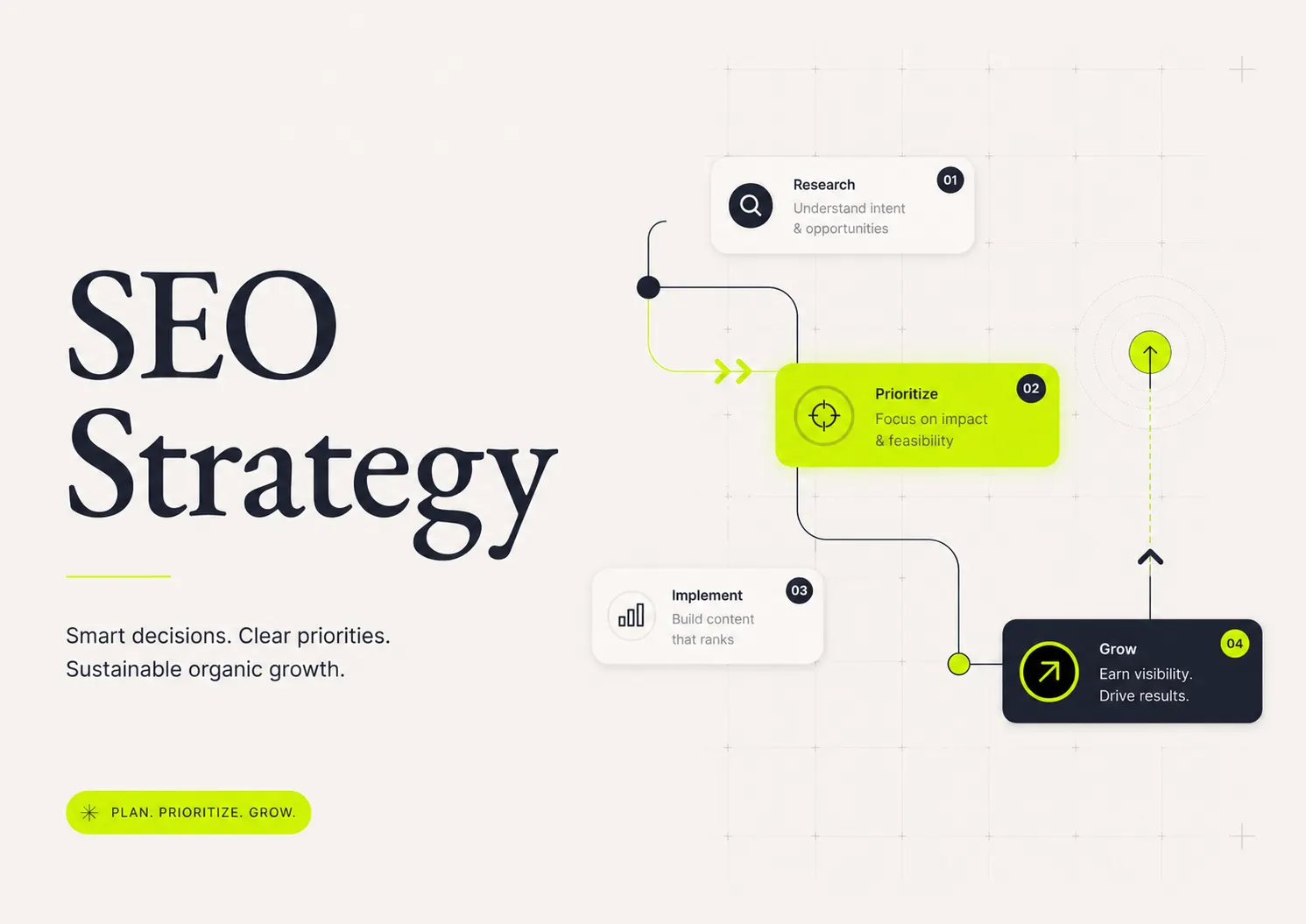
This is an audit playbook, not a build guide. If you’re starting from zero, the practical keyword mapping guide walks through the six-step framework for creating a map from scratch. This piece is its maintenance companion: a Google Search Console-first workflow for diagnosing, prioritising, and fixing an existing SEO keyword map. The goal isn’t a prettier spreadsheet. It’s a shortlist of decisions—refresh, create, merge, redirect, or leave alone—that move traffic.
Dango is built around exactly this kind of decision-first work. It connects to your GSC data, crawls your published pages, and flags overlap before you write anything new. The workflow below mirrors that logic whether you run it inside a tool or in a spreadsheet you maintain by hand.
When an SEO Keyword Map Needs an Audit Instead of Another Rebuild
The instinct when a map feels stale is to rebuild it. Resist that. A rebuild throws away the institutional knowledge baked into your existing rows—why a page was assigned a keyword, who owns it, what’s already been refreshed. An audit keeps that history and corrects only what’s drifted.
Signs your existing map is outdated
A few symptoms tell you it’s time to audit rather than admire:
- Pages are ranking for queries that aren’t listed against them in your map.
- Traffic to mapped pages is flat or declining despite stable rankings.
- You’re seeing the same query split across two or more URLs in GSC.
- New content was published in the last quarter without being added to the map.
- The “action” column still says “refresh” on rows you handled six months ago.
- Owners have changed, or some rows have no owner at all.
If three or more of those are true, the map has decayed past the point where ad-hoc edits help. You need a structured pass.
Why mapping decisions decay as rankings, URLs, and intent change
A keyword map is a snapshot of intent and ranking reality at the moment you built it. Both move. Google revises which page it considers most relevant for a query as you publish more content. URLs get migrated, merged, or retired during redesigns. Search intent itself shifts—a query that was informational last year might now return a comparison-heavy SERP because the market matured.
Your map doesn’t update itself when any of this happens. So the keyword-to-URL assignments slowly diverge from what’s live. Auditing is how you re-sync the document to reality.
How this audit differs from building a keyword map from scratch
A build starts with demand discovery and clustering, then assigns clusters to pages. An audit starts with what’s already ranking and works backward: it validates existing assignments against live GSC data and corrects mismatches. You’re not asking “what should we target?” You’re asking “is each assignment still true, and if not, what’s the cheapest fix?” That difference changes the whole sequence—data first, decisions second, new content last.
Pull the Right Data Before You Touch the Map
Auditing from memory or partial exports produces confident wrong answers. Assemble the full picture first.
Export queries, pages, impressions, clicks, CTR, and average position from Google Search Console
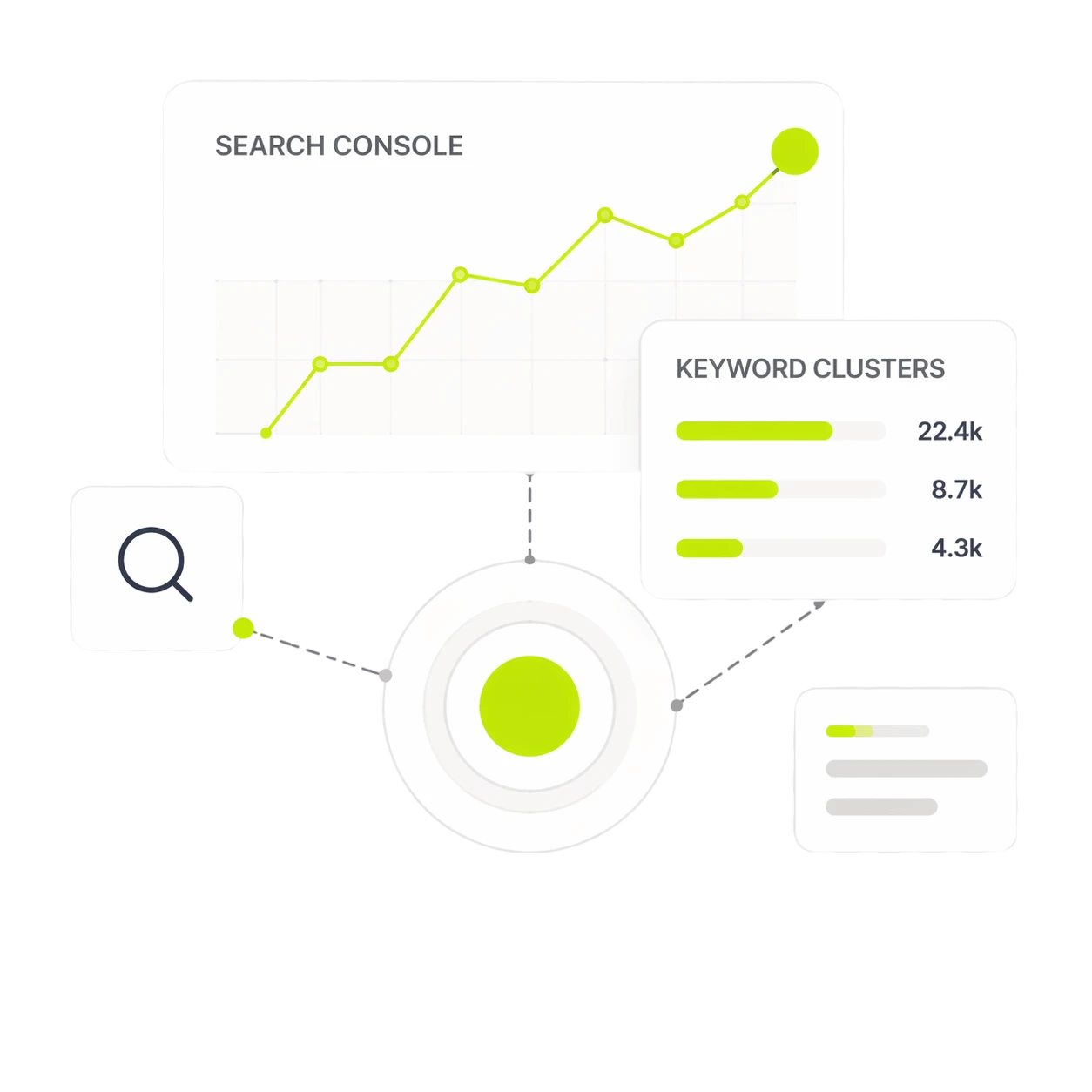
GSC is the source of truth because it reflects what your site actually earns, not estimated volume. Export the Queries and Pages reports for the last 12 months, then export the Query + Page combined view, which is the single most useful dataset for an audit—it shows which query each URL ranks for and at what position.
A few filters worth applying:
- Position 8–20: the page-one fringe and top of page two, where small fixes produce visible gains.
- High impressions, low CTR: queries earning visibility but losing the click.
- Queries with more than one ranking URL: your cannibalization shortlist.
- Branded vs non-branded split: so brand searches don’t inflate your sense of CTR health.
Pull at least 12 months so you can separate genuine decline from seasonal noise.
Add crawl data for indexability, canonicals, redirects, titles, and internal links
GSC tells you how pages perform; a crawl tells you why. Run a crawl (or pull the data from a site-aware tool) to capture each mapped URL’s index status, canonical tag, redirect chains, title and H1, and inbound internal link count. This surfaces the structural reasons a page underperforms—a self-referencing canonical pointing the wrong way, a redirect loop, a title that no longer matches the keyword, or a page with strong rankings and zero internal links.
Dango handles this layer by crawling your sitemap and reading the HTML and structure of every active page, so the map’s “what we have” column reflects live reality instead of a stale inventory.
Include existing keyword clusters, briefs, owners, and publish dates where available
The third dataset is your own operational history. Bring in the clusters each page was built from, any existing briefs, the assigned owner, and the original publish or last-update date. Publish dates matter more than people expect—a page that hasn’t been touched in eighteen months and is slipping in position is a refresh candidate before it’s anything else.
When you review the clusters themselves, sanity-check the grouping logic. Tooling differs in how it groups queries—manual, SERP-based, AI/NLP, and GSC-native approaches each draw cluster boundaries differently. If you’re reassessing your grouping method, compare keyword clustering tool options so the clusters feeding your map actually reflect shared intent rather than shared words.
Validate Whether Each Keyword Still Belongs on Its Assigned URL
With the data assembled, go row by row and test each assignment. This is the heart of the audit.
Check if the mapped page matches current search intent
For each primary keyword, look at the live SERP. Are the ranking results blog posts, product pages, comparison tables, or tools? If your map assigns an informational keyword to a product page while the SERP is dominated by guides, you have a search intent mismatch—and no amount of on-page tweaking will fix a format mismatch. Intent drift is the most common reason a mapped page stalls.
When you’re judging whether two close keywords share intent or split it, lean on a semantic keyword grouping workflow rather than surface-level word overlap. “Keyword mapping template” and “keyword mapping example” look similar but may want the same page; “keyword mapping” and “keyword research” look related but almost always want separate pages.
Compare the ranking URL against the intended target URL
Pull each keyword’s actual top-ranking URL from the GSC Query + Page export and set it beside the target URL in your map. Three outcomes:
- Match — the page Google ranks is the page you intended. Leave it alone (unless CTR is weak).
- Mismatch — Google ranks a different page than the one you mapped.
- Split — Google rotates between multiple URLs for the query.
Matches need no action. Mismatches and splits become your fix queue.
Flag keywords where Google has chosen a different page than your map
When Google prefers a page you didn’t assign, that’s a signal, not a problem to override. Google has more behavioural data than your map does. Before forcing the original target to rank, ask whether the page Google chose is actually the better answer. Often it is, and the right move is to update your map to match reality and strengthen the page Google already prefers. Forcing the issue—by adding the keyword to the “wrong” page or stripping it from Google’s choice—usually creates the cannibalization you’re trying to avoid.
For concrete cluster-to-page decisions in situations like this, the keyword clustering examples show how the same set of queries resolves to one page in one scenario and several in another.
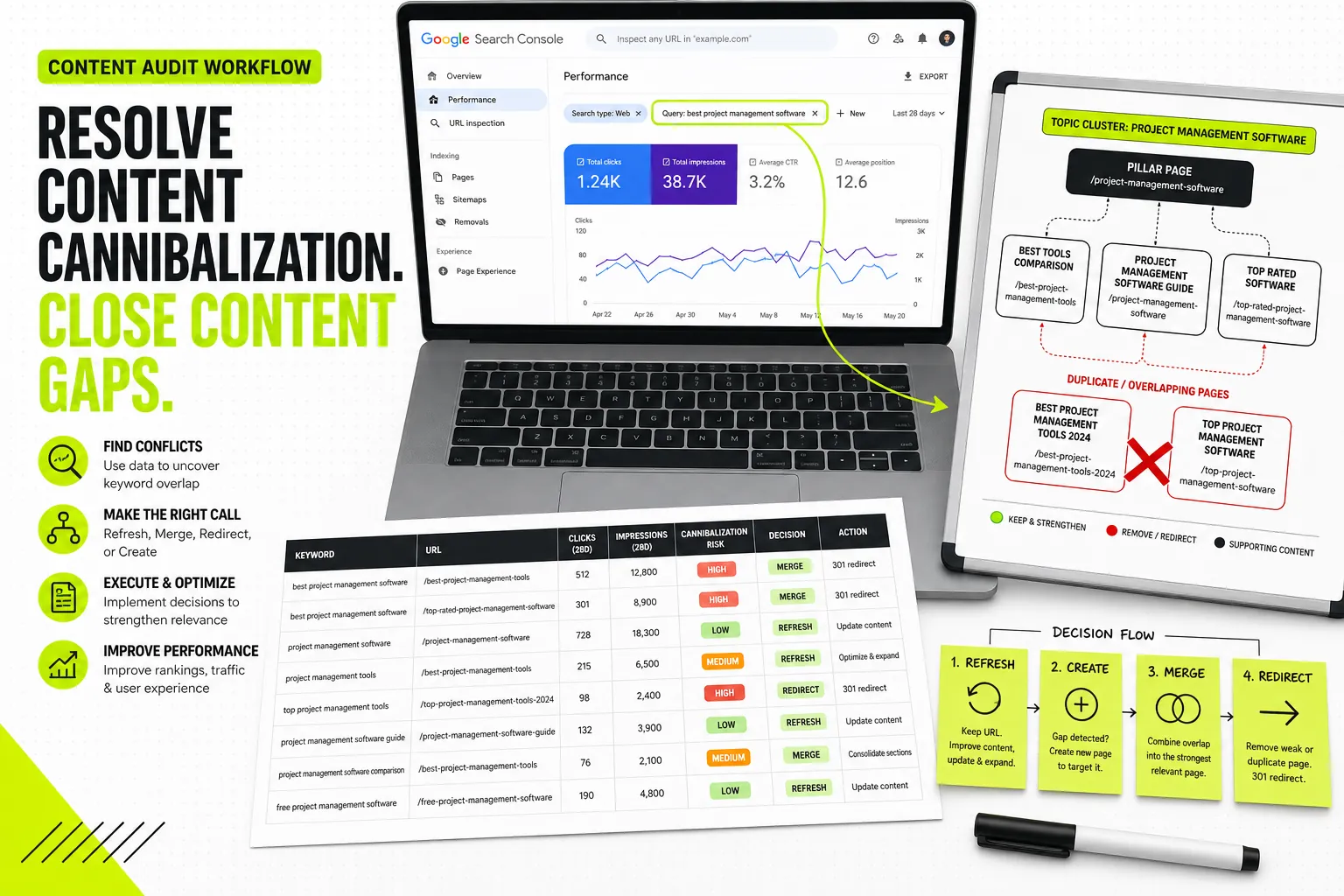
Use a Decision Matrix: Refresh, Create, Merge, Redirect, or Leave Alone
Every flagged row should resolve to exactly one action. Ambiguity here is what turns audits into documents nobody uses.
Refresh pages with impressions, weak CTR, and relevant intent
The highest-leverage action. A page already earning impressions in positions 8–20, with intent that still matches the SERP, doesn’t need replacing—it needs sharpening. Update the title and meta to match the actual query, add the subtopics the top results cover that you’re missing, refresh examples and dates, and add internal links from authority pages. Refreshes beat new pages because you’re building on existing equity instead of starting at zero.
Create new pages only when the intent is genuinely separate
Create is the most over-used action and the easiest to get wrong. Only create a new page when the intent is genuinely distinct from anything you already have—different SERP format, different user need, no existing page that could rank with a refresh. If an existing page could plausibly cover the keyword with an added section, that’s a refresh, not a create. Every unnecessary new page is a future cannibalization risk.
Merge pages competing for the same SERP and same user need
When two pages target the same query and the same need, and both earn impressions, merge them. Consolidate the stronger content into one URL, 301-redirect the weaker one, and combine the internal links pointing at both. Merging concentrates authority that was previously divided, and it removes the signal confusion that caused Google to split rankings in the first place.
Redirect or deindex thin pages that no longer deserve a standalone target
Some pages have decayed beyond saving—negligible impressions, outdated intent, no business value. If a thin page’s topic is covered elsewhere, redirect it to the better page. If it has no logical destination and no value, deindex it. Pruning dead weight improves crawl focus and removes rows that clutter the map.
Find and Fix Keyword Cannibalization Without Overcorrecting
Cannibalization is real, but the panic around it causes as much damage as the problem itself. The goal is triage, not a purge.
How to identify true cannibalization versus healthy topical overlap
True cannibalization is when two URLs compete for the same query with the same intent, and the competition measurably suppresses both. Symptoms: rankings that swap between URLs week to week, neither page reaching its potential, and the same query showing both URLs in your GSC export with split clicks.
Healthy overlap looks different. Two pages naturally mention a shared subtopic, but each ranks cleanly for its own primary query without the other interfering. A pillar page and its supporting articles will always overlap on terminology—that’s the cluster working as designed, not cannibalization. Don’t “fix” overlap that isn’t costing you anything.
What to do when two URLs rank for the same query
Confirm it’s genuine first by checking whether both URLs trade positions over time and whether clicks are split. If confirmed, pick one canonical target and consolidate. The options are the same as the decision matrix: merge if the pages serve identical needs, or differentiate if the needs were actually distinct and the overlap came from sloppy on-page targeting. Differentiating means re-optimising each page around its true separate intent and reworking titles, H1s, and internal anchors to reinforce the split.
How to choose the canonical target page based on intent, links, authority, and conversions
When you have to pick a winner, weigh four factors in order:
- Intent fit — which page most closely matches the SERP for the target query.
- Links and authority — which page has the stronger internal and external link profile.
- Existing performance — which page already earns more impressions and clicks.
- Conversions — which page actually drives business outcomes, not just traffic.
Intent fit usually wins, but when two pages are close on intent, conversions break the tie. A page that ranks slightly lower but converts better is often the one to keep.
Prioritise the SEO Keyword Mapping Fixes That Will Move Traffic First
An audit produces more fixes than any team can ship at once. Sequencing is where you protect your time.
High-impression, low-click queries close to page one
Start here. Queries with strong impressions, weak CTR, and an average position around 8–20 are the closest thing to free traffic an audit surfaces. They’re already visible; they just need a title rewrite, a snippet-targeted intro, or a few internal links to cross into clicks. This is the exact opportunity Dango surfaces first—pages in positions 11–30 with consistent impressions but low CTR—because the effort-to-reward ratio is unmatched.
Queries ranking on the wrong page
Next, the mismatches from your validation pass. When Google ranks a weaker page than your intended target, fixing the assignment—or strengthening the page Google chose—can stabilise rankings quickly because the demand and partial visibility already exist.
Clusters with strong business value but weak content coverage
These are your true content gaps: clusters tied to revenue where your coverage is thin or missing. They cost more (usually a new page or a substantial expansion) but justify the investment because they map to outcomes. Prioritise commercial and transactional clusters over informational ones with no path to conversion.
Pages with good rankings but missing internal links
A page ranking well with few internal links is leaving authority on the table. Adding contextual links from related pages is low-effort and compounding—it lifts the target page and tightens the cluster. Pull these from your crawl data and batch them; you can often action a dozen in an afternoon.
Turn the Audit Into Content Briefs and Internal Link Actions
A map full of decisions is useless until it produces work. Convert each action into a concrete task.
Convert refresh decisions into brief requirements
Every “refresh” row should generate a short brief: the target keyword, the current ranking position, the gaps versus top results, the title and meta to test, and the sections to add or rewrite. Tie the brief to live ranking data so it tells the writer exactly where the page is and what’s needed to advance—not a generic outline. Dango builds these briefs from your actual site content and search positions, so a refresh brief reflects the gap between where the page ranks now and where it could.
Assign secondary keywords without creating duplicate pages
Most pages should target one primary keyword and a handful of closely related secondary terms that share its intent. The audit is the moment to fold stray keywords—ones that don’t deserve their own page—into the secondary list of an existing target. This prevents the slow proliferation of thin pages that causes cannibalization in the first place. If a keyword genuinely needs its own page, it’s a create decision; if it’s a variation, it’s a secondary keyword.
Use the map to plan contextual internal links between pillar and supporting pages
With the full topic structure visible, plan links deliberately: pillar pages link down to supporting articles, supporting articles link up to the pillar and laterally to siblings. Specify the anchor text in the map so it’s intentional rather than improvised at publish time. This is the step manual workflows skip most often, and it’s the one Dango automates by identifying anchor opportunities in older posts pointing to new pages.
Document owners, deadlines, and status so the map becomes operational
A map without owners is a wishlist. Every action row needs a named owner, a deadline, and a status. This is also where team structure matters—who writes refreshes, who approves merges and redirects, who tracks the KPI each fix is meant to move. If you’re formalising these responsibilities, the guide to SEO team structure for assigning owners and KPIs maps roles to the parts of this workflow they should own.
How Often to Audit Your SEO Keyword Map
Cadence depends on how fast your content and rankings change.
Monthly checks for fast-growing or programmatic sites
Sites publishing frequently—or running programmatic templates at scale—need monthly checks. New pages and template instances create cannibalization fast, and ranking patterns shift quickly enough that a quarterly cadence lets problems compound. For programmatic sites, the monthly pass focuses on pattern-level issues: are template pages competing with each other, and is the canonical logic holding across thousands of URLs rather than auditing each page individually.
Quarterly reviews for established content libraries
For stable libraries with a slower publishing rhythm, quarterly is the right cadence. Three months is enough for refreshes to show results and for intent shifts to register in your GSC data, without burning time on noise. Run the full validation pass each quarter and a lighter cannibalization check monthly.
What to monitor after publishing updates
After shipping refreshes or merges, watch the specific queries you targeted for four to eight weeks. Track average position, impressions, and CTR for those queries—not sitewide totals, which mask individual wins. For merges and redirects, confirm the consolidated URL absorbs the rankings and that the redirected pages drop out cleanly without leaving orphaned signals.
Common SEO Keyword Mapping Audit Mistakes to Avoid
The failure modes are predictable, which makes them avoidable.
Creating new pages for every keyword variation
The most expensive mistake. Spinning up a page for every keyword variation manufactures the cannibalization an audit is supposed to eliminate. Variations that share intent belong on one page as secondary keywords. Create sparingly and only for genuinely separate intent.
Ignoring the URL Google already prefers
When Google consistently ranks a page you didn’t intend, that’s behavioural data you don’t have access to any other way. Overriding it by forcing your original target usually backfires. Update the map to reflect what Google already prefers, then strengthen that page.
Letting tool clusters override search intent
Clustering tools group queries algorithmically, and they’re often right—but not always. A cluster that lumps two distinct intents together will lead you to assign mismatched keywords to one page. Always validate cluster output against the live SERP before you trust it in the map. The tool proposes; intent decides.
Auditing keywords without assigning actions
An audit that produces observations instead of actions is a report nobody reads twice. Every flagged row must resolve to refresh, create, merge, redirect, or leave alone—with an owner and a deadline. The map is only as valuable as the decisions it forces.
Frequently Asked Questions
Can one page target multiple keywords in an SEO keyword map?
Yes—and it should. A well-mapped page targets one primary keyword plus several closely related secondary keywords that share the same search intent. The constraint isn’t the number of keywords; it’s that they all belong to the same user need and SERP. Splitting tightly related terms across separate pages is what causes cannibalization.
What should I do if Google ranks the wrong URL for a keyword?
First confirm the “wrong” URL really is worse. Google has behavioural data your map doesn’t, and it’s often choosing the better answer. If the page Google ranks genuinely serves the intent, update your map to match it and strengthen that page with content and internal links. If it’s truly a poor fit, differentiate the pages by re-optimising titles, headings, and internal anchors so each clearly targets a separate query.
How many keywords should be assigned to one page?
There’s no fixed number, but a practical pattern is one primary keyword and three to eight closely related secondary terms. The test is intent, not count: every keyword on a page should be one the same content could rank for without compromise. If a keyword would pull the page in a different direction, it belongs elsewhere.
Should old keyword maps include zero-impression keywords?
Keep low- and zero-impression keywords if they represent genuine demand you expect to capture—single-digit impressions are still demand signals. Drop keywords that have been mapped for months with no impressions and no plausible path to ranking; they clutter the map and dilute focus. The distinction is potential, not current performance.
What is the difference between keyword clustering and keyword mapping?
Clustering groups related queries into topics by meaning and intent. Mapping is the next step: assigning each cluster to a specific URL—an existing page, a new page, or a refresh—and adding intent, action, owner, and internal link plans. Clustering tells you what topics exist; mapping tells you which page owns each one.
Can AI help with SEO keyword mapping audits?
Yes, particularly for the data-heavy parts: pulling and joining GSC query and page data, flagging cannibalization across the whole site, and surfacing high-impression, low-click opportunities. Dango runs these checks at the planning stage—scanning your indexed footprint for overlap before content is written rather than catching it after publish. Human judgement still owns the final refresh/create/merge/redirect call, because intent decisions need context a tool can’t fully infer.
How do I audit keyword mapping for ecommerce or programmatic pages?
Audit at the template and pattern level rather than page by page. For ecommerce, check that category pages aren’t cannibalising each other and that filtered or faceted URLs canonicalise correctly to the main category. For programmatic pages, verify that the template logic produces distinct intent per instance and that thousands of similar URLs aren’t competing for the same query. Sample representative pages, fix the pattern, and the fix propagates across the set.
What metrics prove a keyword mapping audit worked?
Track the queries you actually touched, not sitewide totals. The clearest signals are CTR improvement on refreshed page-two pages, average position gains on mismatched queries you reassigned, recovered rankings on consolidated URLs after a merge, and clicks earned on previously high-impression, low-click queries. Tie each fix to the specific query it targeted so you can attribute the result rather than guess.