Search behavior has split. Some of your audience still scans ten blue links; a growing share asks ChatGPT, Perplexity, Gemini, or Google’s AI Mode and takes the synthesized answer at face value. If your content isn’t retrieved and cited inside those answers, you’re invisible to that slice of demand — and traditional rank trackers won’t tell you.
That’s the problem an answer engine optimization tool exists to solve. But the category is messy. Some tools only monitor whether AI engines mention you. Some generate schema markup and nothing else. A few actually help you produce content that earns citations in the first place. Most vendor-written roundups blur those differences, skip free alternatives, and never explain how they scored anything.
This guide does the opposite: a transparent rating rubric, a side-by-side comparison with pricing, honest “best for” calls for ten tools, and a GSC-first workflow for proving AEO impact with your own first-party data instead of a vendor’s estimated visibility score.
What an Answer Engine Optimization Tool Actually Does
An answer engine optimization (AEO) tool helps you understand and improve how your content shows up in AI-generated answers — featured snippets, Google AI Overviews and AI Mode, ChatGPT responses, Perplexity citations, and Gemini results. In practice, tools in this category do one or more of three jobs:
- Monitoring — running prompts against AI engines and recording whether your brand or URLs appear, how often, and against which competitors.
- Diagnosis — auditing your content and technical setup (schema, crawlability, answer structure) for retrievability problems.
- Production — helping you create or restructure content so it actually gets retrieved and cited.
Most tools marketed as “AEO platforms” only do the first job. That distinction matters more than any feature checklist, and it shapes everything in this guide. If you’re new to the underlying concepts, the foundational elements of SEO with AI cover the groundwork — entities, schema, retrievability, and why the same fundamentals serve both classic search and AI answers.
AEO vs SEO vs GEO: where the terms overlap
The industry hasn’t settled on vocabulary, so here’s a working map:
- SEO optimizes for ranked results in traditional search.
- AEO optimizes for direct answers: featured snippets, People Also Ask, zero-click results, and AI-generated answer boxes.
- GEO (generative engine optimization) optimizes for retrieval and citation by LLM-powered engines like ChatGPT, Perplexity, and Gemini.
These describe overlapping layers of the same shift, not separate disciplines. AI engines pull heavily from content that already ranks well, answers questions directly, and is structured for machine parsing. You don’t need four strategies; you need content grounded well enough to be retrieved across all four surfaces. The same logic applies to Google’s AI Mode specifically — if you’re evaluating AI Mode SEO tracking software , the eligibility work underneath it is identical to good AEO.
What AEO tools measure: citations, mentions, and share of voice in AI answers
Monitoring-focused tools track three core metrics:
- Citations: your URL appearing as a linked source in an AI answer (Perplexity and AI Overviews cite explicitly; ChatGPT increasingly does too).
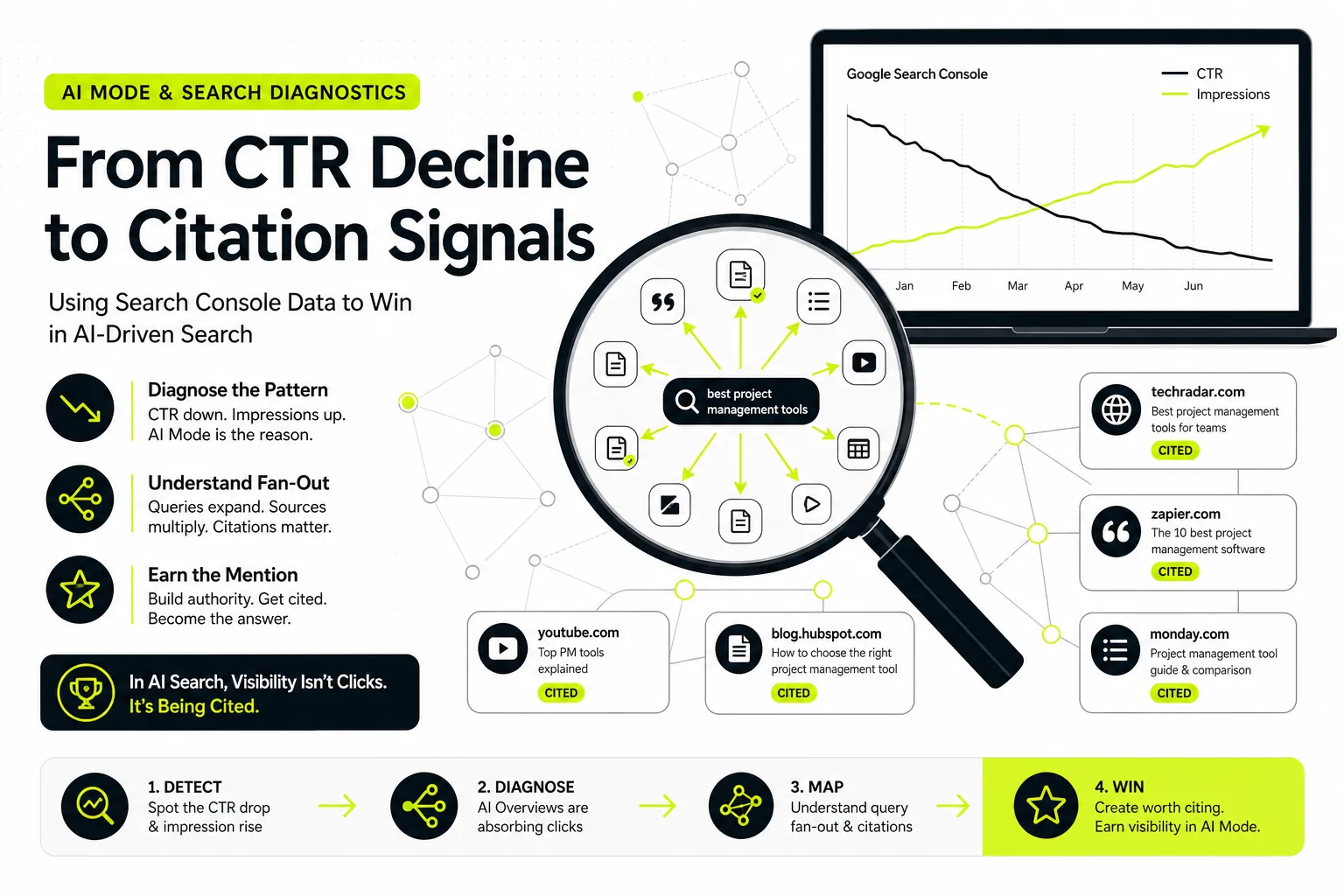
- Brand mentions: your brand named in answer text even without a link — important for consideration-stage prompts like “best project management tools.”
- Share of voice: how often you appear across a tracked prompt set versus competitors, usually expressed as a percentage.
These metrics are useful directional signals. They’re also probabilistic snapshots — AI answers vary by user, session, location, and model version, so any tool’s “visibility score” is a sample, not a census. Keep that in mind when a dashboard tells you visibility dropped 14% week over week.
Why monitoring alone isn’t enough: tracking vs production tools
A monitoring dashboard can tell you that Perplexity cites your competitor for forty prompts where you’re absent. It cannot write the comparison page, restructure your answer blocks, add FAQ schema, or fix the internal linking that would change that outcome. Tracking diagnoses; production fixes.
This is the most common buying mistake in the category: teams pay $300–$1,000 a month for a citation monitor, watch the numbers for a quarter, and change nothing because the tool gives them no path from insight to shipped content. A complete AEO stack needs both layers — and if budget forces a choice, the production layer is the one that moves the numbers the monitoring layer measures.
How We Rated These Tools: Criteria and Scoring
No anonymous star ratings here. Each tool was scored 1–5 on four weighted criteria, and the rubric is open so you can disagree with the weighting and re-score for your own situation.
| Criterion | Weight | What earns a 5 |
|---|---|---|
| Engine coverage | 25% | Tracks or targets ChatGPT, Perplexity, Gemini, AI Overviews, and AI Mode |
| Data quality | 30% | Built on first-party or verifiable data, not opaque third-party estimates |
| Workflow depth | 30% | Takes you from insight to published, optimized content — not just a dashboard |
| Pricing & team fit | 15% | Transparent pricing with a tier that fits the audience it claims to serve |
Engine coverage: ChatGPT, Perplexity, Gemini, AI Overviews, and AI Mode
In 2026, minimum viable coverage means Google’s AI surfaces (AI Overviews and AI Mode) plus ChatGPT and Perplexity. Gemini matters for brands with strong Google-ecosystem audiences. Tools that only track one engine got marked down unless that focus is the explicit point of the product (as with some free graders).
Data quality: first-party GSC data vs third-party estimates
This carries the heaviest weight alongside workflow depth, for a simple reason: first-party Google Search Console data is verifiable evidence of what Google already associates with your site. Third-party visibility scores are estimates built from sampled prompts and inferred volumes. Both have uses, but when they conflict, GSC wins — it’s the only dataset where you can audit the methodology because the methodology is “what actually happened on your property.” Tools that ground recommendations in your own data scored higher than tools selling black-box indices.
Pricing, workflow depth, and team fit
Workflow depth asks one question: when the tool surfaces a problem, does it help you fix it? Schema generation, content briefs, answer-block structuring, internal linking, and draft production all count. Pricing was scored on transparency and fit — a $1,500/month enterprise platform isn’t penalized for costing $1,500 if it serves enterprises well, but hidden “contact sales” pricing on a tool aimed at SMBs is.
Best Rated Answer Engine Optimization Tools at a Glance
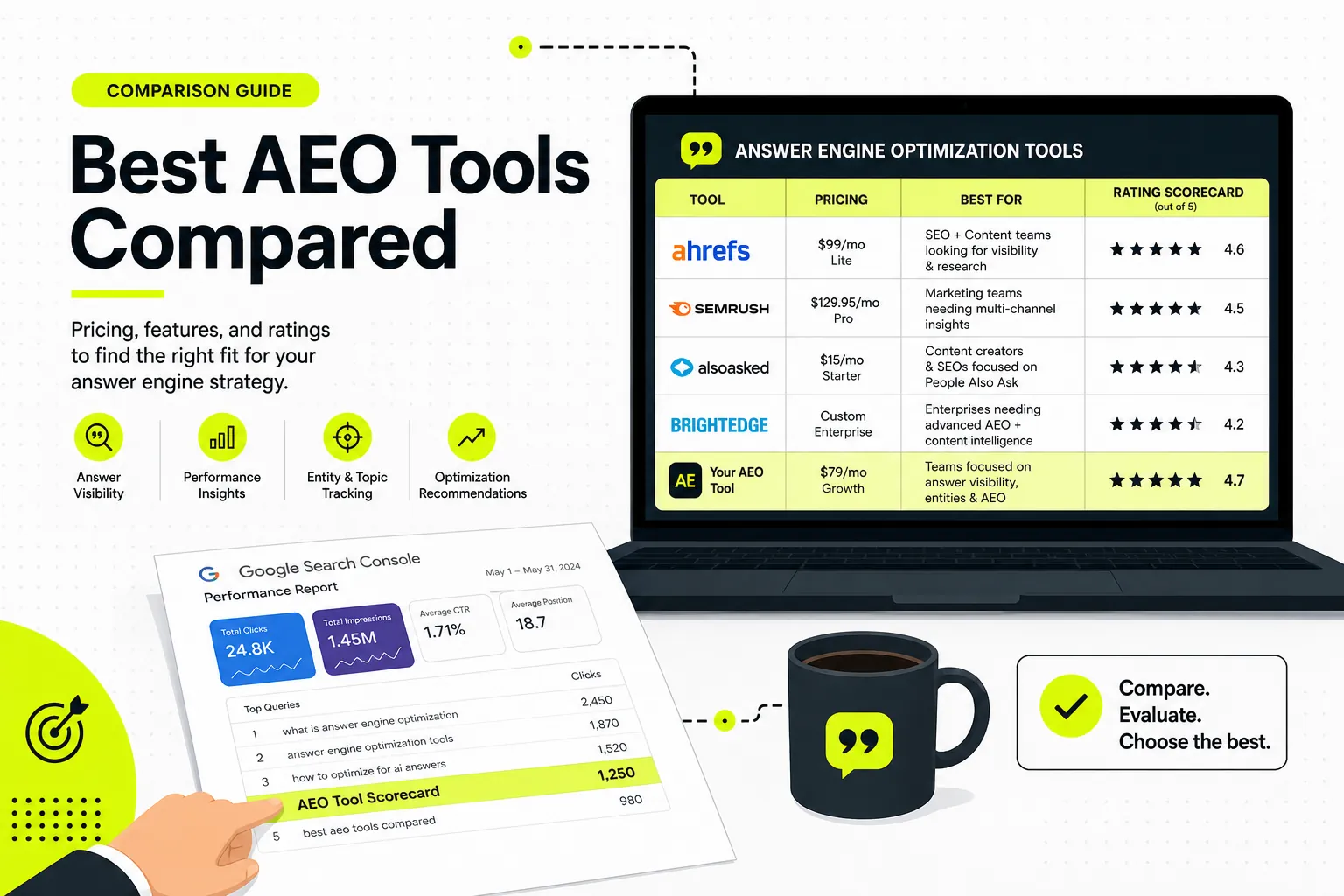
If you compare the best rated answer engine optimization tools side by side, the pattern is clear: monitoring tools cluster in the mid-price range with shallow workflows, enterprise platforms charge for breadth, and only a few tools connect measurement to production.
Side-by-side comparison table: pricing, ratings, and best-for fit
| Tool | Score | Pricing (approx.) | Type | Best for |
|---|---|---|---|---|
| Dango | 4.6 | $99–$299/mo | Production (GSC-first) | Earning AI citations through content production |
| Profound | 4.2 | Enterprise (custom) | Monitoring | Enterprise AI answer monitoring |
| Semrush (AI Toolkit) | 4.1 | From ~$140/mo + add-on | Suite + monitoring | AEO tracking inside a full SEO suite |
| Ahrefs Brand Radar | 4.0 | Add-on to Ahrefs plans | Monitoring | Brand mention tracking in AI answers |
| Otterly AI | 3.9 | From ~$29/mo | Monitoring | Lightweight prompt-level monitoring |
| Peec AI | 3.8 | From ~€89/mo | Monitoring | Competitor share-of-voice benchmarking |
| Nightwatch | 3.7 | From ~$39/mo | Rank tracking + AI | Connecting rank data with AI visibility |
| HubSpot AEO Grader | 3.3 | Free | Audit | Free one-time visibility audit |
| Surfer AI Tracker | 3.5 | Add-on to Surfer plans | Optimization + tracking | Teams already in Surfer’s ecosystem |
| Free schema generators | 3.0 | Free | Production (narrow) | Zero-budget structured data |
Pricing reflects published rates as of mid-2026 and changes often; verify before buying.
The 10 Best Answer Engine Optimization Tools Reviewed
These reviews focus on what each of these answer engine optimization tools actually does well, where it falls short against the rubric, and who should buy it.
Dango - best for GSC-first content production that earns AI citations
Score: 4.6/5 · Engine coverage 4 · Data quality 5 · Workflow depth 5 · Pricing 4
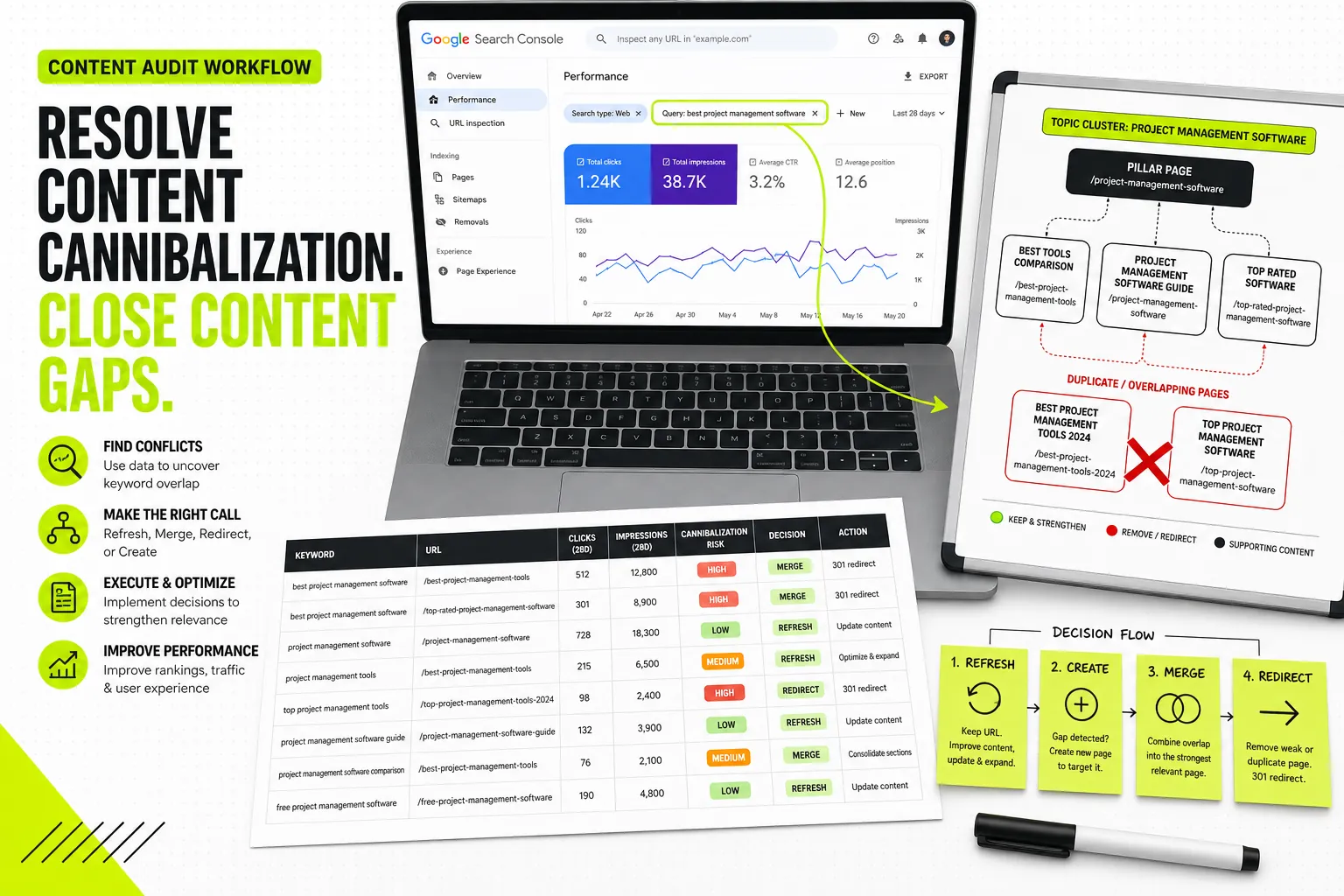
Dango takes the opposite approach to every monitoring tool on this list: instead of measuring whether AI engines cite you, it works upstream on the production decisions that determine whether you’re eligible to be cited at all. It connects to Google Search Console in one click, mines your first-party query data for high-impression, low-click opportunities and pages stuck in positions 11–30, clusters those real queries into topic systems, and generates site-aware briefs and full drafts with internal linking built in. It also flags cannibalization before you publish — a problem that quietly kills answer eligibility, because competing pages dilute the clear-answer signal AI engines retrieve against.
The data-quality score is the differentiator. Every recommendation comes from your own GSC data — evidence Google has already given you — rather than third-party volume estimates. That matters for AEO specifically because question-intent queries you almost rank for are the fastest path to AI answer inclusion, and only first-party data shows you those reliably.
Honest limitation: Dango is not an AI citation monitor. It doesn’t run prompt panels against ChatGPT or score your share of voice. It’s the production engine that earns the eligibility monitors measure, which is why it pairs naturally with a lightweight tracker like Otterly. If you want one dashboard that shows AI mentions, look elsewhere; if you want the content that generates those mentions, start here.
Pricing: $99/month Starter (3 domains, 30 briefs, 30 AI articles — built for SEO professionals and in-house marketers) or $299/month Professional (10 domains, 100 briefs and articles — for agencies running SEO at scale). Both include GSC, sitemap, and WordPress integration.
Profound - best for enterprise AI answer monitoring
Score: 4.2/5 · Engine coverage 5 · Data quality 4 · Workflow depth 3 · Pricing 3
Profound is the most ambitious monitoring platform in the category: large-scale prompt sampling across ChatGPT, Perplexity, Gemini, and Google’s AI surfaces, with conversation-volume insights, sentiment analysis on how AI describes your brand, and agent-traffic analytics. For a Fortune 500 brand that needs to know how AI engines characterize it across thousands of prompts, nothing else matches the depth.
The trade-offs: custom enterprise pricing puts it out of reach for most teams in this guide’s audience, and it remains a measurement layer — it tells you where you’re losing, not how to win. Score it down further if you don’t have a content team ready to act on its findings.
Semrush - best for combining AEO tracking with a full SEO suite
Score: 4.1/5 · Engine coverage 4 · Data quality 4 · Workflow depth 4 · Pricing 4
Semrush’s AI visibility toolkit bolts AI Overview tracking, brand mention monitoring in LLM answers, and prompt-level visibility data onto the suite most SEO teams already use. The advantage is consolidation: your rank tracking, site audits, keyword research, and AI visibility live in one login, and AI Overview presence shows up directly in position tracking.
The weakness is that AEO features are an add-on layer to a platform architected for classic SEO, and the third-party data model means visibility numbers should be cross-checked against your own GSC data. If you’re consolidating tooling, also weigh it against the broader field — our breakdown of the best AI SEO software for the full workflow compares suites, point tools, and production platforms by use case.
Ahrefs Brand Radar - best for brand mention tracking in AI answers
Score: 4.0/5 · Engine coverage 4 · Data quality 4 · Workflow depth 3 · Pricing 4
Brand Radar extends Ahrefs into AI answer surfaces, tracking brand and competitor mentions across AI Overviews and major chat engines, with the familiar Ahrefs UX and the ability to slice mentions by topic. For existing Ahrefs customers it’s the lowest-friction way to add AI visibility data, and the brand-versus-competitor view is genuinely useful for positioning conversations with stakeholders.
It’s a monitoring product through and through — no schema tooling, no content workflow — and as an add-on it assumes you’re already paying for an Ahrefs plan.
Otterly AI - best for lightweight prompt-level monitoring
Score: 3.9/5 · Engine coverage 4 · Data quality 3 · Workflow depth 3 · Pricing 5
Otterly is the entry point for AI answer monitoring: define a set of prompts, and it tracks your brand’s appearance, link citations, and competitor presence across ChatGPT, Perplexity, and Google’s AI results. Starting around $29/month, it’s the cheapest credible way to get recurring AI visibility data, and the prompt-level granularity makes it easy to verify findings manually.
Limitations are inherent to the price: smaller prompt sample sizes, less historical depth, and no production features. It’s the natural monitoring complement to a production tool — track twenty high-value prompts in Otterly, fix the gaps with your content workflow, watch the citations appear.
Peec AI - best for competitor share-of-voice benchmarking
Score: 3.8/5 · Engine coverage 4 · Data quality 3 · Workflow depth 3 · Pricing 4
Peec specializes in the competitive view: share-of-voice percentages across AI engines, source analysis showing which domains AI answers cite for your topics, and clean benchmarking reports that agencies can drop into client decks. The source-analysis angle is its standout — knowing that Perplexity repeatedly cites a specific competitor page tells you exactly what content to beat.
Like the other monitors, it stops at diagnosis, and its sampled data shares the same caveat: treat trends as directional, validate impact in GSC.
Nightwatch - best for connecting rank tracking with AI visibility
Score: 3.7/5 · Engine coverage 3 · Data quality 4 · Workflow depth 3 · Pricing 4
Nightwatch comes at AEO from the rank-tracking side, layering AI Overview presence onto position data so you can see — keyword by keyword — where you rank organically versus where AI answers appear above you. That juxtaposition is valuable for prioritization: a keyword where you rank #3 but an AI Overview answers the query without citing you is a precise, fixable target.
Coverage skews Google-centric, with thinner visibility into ChatGPT and Perplexity, and there’s no content production layer. Best for teams that think in keywords first and want AI visibility as an extension of existing tracking.
HubSpot AEO Grader - best free visibility audit
Score: 3.3/5 · Engine coverage 3 · Data quality 3 · Workflow depth 2 · Pricing 5
HubSpot’s free AEO Grader gives you a quick audit of how visible your brand is in AI answers and where the obvious gaps sit — useful as a snapshot before you’ve spent anything, and useful as ammunition when you need to convince a stakeholder that AI visibility deserves budget.
Treat it as a one-time diagnostic, not a tool. It’s a lead-generation asset for HubSpot, it doesn’t track changes over time at the depth paid monitors do, and its recommendations are generic. Run it, note the gaps, then build a real workflow.
Surfer AI Tracker - best for content teams already using Surfer
Score: 3.5/5 · Engine coverage 3 · Data quality 3 · Workflow depth 4 · Pricing 3
Surfer’s AI tracking features let content teams monitor AI Overview presence for target keywords alongside the on-page optimization scoring Surfer is known for. The appeal is workflow continuity: writers already optimizing in Surfer get AI visibility signals in the same place they edit.
The catch is that Surfer’s optimization model is built around correlational on-page scoring rather than first-party search data, and AI tracking is an extension rather than the core product. Sensible if you’re already paying for Surfer; not a reason to adopt it.
AEO Tool (free schema generator) - best zero-budget starting point
Score: 3.0/5 · Engine coverage 2 · Data quality 3 · Workflow depth 2 · Pricing 5
Free schema generators — FAQ schema builders, JSON-LD generators, and similar single-purpose utilities — handle one narrow but genuinely important AEO task: producing valid structured data (FAQPage, HowTo, Article, Organization) that makes your content easier for answer engines to parse and cite. Paired with Google’s Rich Results Test for validation, they cost nothing and remove a real technical barrier.
They generate markup; they don’t tell you which questions to answer, whether your content is retrievable, or whether anything worked. They’re step two of a workflow, not the workflow. Still, for a zero-budget team, valid FAQ schema on well-structured answer content beats an expensive dashboard nobody acts on.
Free vs Paid AEO Tools: What You Actually Need
The free-versus-paid question is really a question about which job you need done, and how often.
What free schema generators and graders can (and can’t) do
Free tools cover one-time and low-frequency tasks well: generating JSON-LD markup, validating structured data, running a single visibility audit, and checking whether your pages render for crawlers. If your AEO problem is “we have good content but no structured data,” free tools plus a few hours of implementation may close most of the gap.
What they can’t do: tell you which questions your audience asks that you almost answer, track whether AI engines cite you over time, benchmark you against competitors, or produce the content that earns citations. Free tools fix known problems; they don’t find unknown ones.
When paid monitoring platforms pay for themselves
Paid monitoring earns its cost when three conditions hold: AI answers are a meaningful discovery channel for your category (true for most SaaS, finance, health, and consumer research topics), you have competitors actively winning citations you’re losing, and — critically — you have the content capacity to act on what the monitor finds. If any of the three is missing, the dashboard becomes an expensive anxiety generator.
Paid production tools pay for themselves on different math: if your bottleneck is shipping prioritized, well-structured content at speed, a production platform replaces hours of manual GSC analysis, clustering, briefing, and drafting per article. At agency or in-house labor rates, that crossover arrives quickly.
A decision tree by team size and budget
- Solo operator, $0 budget: GSC + free schema generators + HubSpot’s AEO Grader for a baseline. Spend your time restructuring content into direct answer blocks.
- Solo or small in-house team, under $150/month: A GSC-first production tool (Dango Starter at $99/month) to systematically turn your Search Console data into answer-eligible content, plus free schema tools.
- In-house team, $150–$500/month: Production tool + lightweight monitor (e.g., Dango + Otterly) so you can both create eligibility and verify citations.
- Agency, $300–$1,000/month: Multi-domain production (Dango Professional) plus a benchmarking monitor like Peec for client reporting, or Semrush/Ahrefs add-ons if clients already live in those suites.
- Enterprise: Profound or Semrush Enterprise for monitoring breadth, paired with whatever production workflow your content org runs — and a hard rule that every monitoring insight gets an owner and a content ticket.
How to Use an AEO Tool: A GSC-First Workflow
Whatever you buy, the workflow that proves AEO impact runs on your own Search Console data. Here’s the three-step loop.
Step 1: Mine Search Console for question-intent queries you almost rank for
Open GSC’s performance report and filter queries containing “how,” “what,” “why,” “can,” “does,” “vs,” and “best.” Then sort for the sweet spot: queries with meaningful impressions where you sit in positions 5–25. These are questions Google already associates with your site but where you haven’t won the answer — the highest-probability targets for featured snippets, AI Overviews, and LLM citations, because answer engines draw heavily from content that already demonstrates relevance.
Group related queries before optimizing anything; one well-structured page should answer a cluster of phrasings, not one query each. If you haven’t done this before, these keyword clustering examples for question-intent queries walk through how raw GSC exports become coherent topic clusters.
Step 2: Structure retrievable answer blocks and FAQ schema
For each target cluster, restructure the page so the answer is extractable: a question-matching heading, followed by a direct 40–60 word answer in the first sentence or two, followed by supporting depth. AI engines retrieve passages, not pages — a buried answer in paragraph twelve loses to a competitor’s clean answer block every time.
Then add structured data: FAQPage schema for question sets, HowTo for processes, Article and Organization schema for context. Schema isn’t strictly required for AI Overview inclusion, but it makes content materially easier for machines to parse and attribute. The deeper mechanics of making content retrievable — entity clarity, source trust, and passage structure — are covered in our guide to grounding AI for SEO with first-party data .
Step 3: Track citations and verify impact with first-party data
After publishing, watch two layers. The monitoring layer (Otterly, Peec, Brand Radar, or manual prompt checks) shows whether AI engines start citing the updated pages. The verification layer is GSC: rising impressions on the target question queries, improving position, and — increasingly — referral traffic from AI platforms visible in your analytics. When a vendor dashboard and GSC disagree, GSC is the source of truth. Re-run the loop monthly: new question queries appear in GSC constantly as your eligibility improves.
Common Mistakes When Buying AEO Software
Paying for dashboards without a content production workflow
The most expensive mistake in this category is buying measurement without capacity to act. A monitoring tool that surfaces fifty citation gaps is worth nothing if no one writes the content to close them. Before signing any monitoring contract, answer one question: who turns this tool’s findings into published pages, and how many per month? If the answer is vague, fix production first.
Chasing AI mentions while ignoring crawlability and schema basics
Teams jump to share-of-voice optimization while their site blocks AI crawlers in robots.txt, renders key content client-side, or carries zero structured data. AI engines can’t cite what they can’t retrieve. Audit the basics — crawl access for major AI user agents, server-rendered answer content, valid schema — before spending on visibility tooling. Free tools handle most of this audit.
Trusting vendor-reported visibility scores without GSC validation
Every monitoring platform samples prompts and models its scores differently, which is why the same brand can show 30% share of voice in one tool and 12% in another. Neither is wrong; both are estimates. Use vendor scores for trends and competitive direction, but validate impact in Search Console — impressions, positions, and clicks on the queries you targeted. If visibility scores rise while first-party signals stay flat, question the scores before celebrating.
Measuring ROI from Answer Engine Optimization
Metrics that matter: AI referral traffic, citations, branded query growth
A defensible AEO measurement stack uses four signals, roughly in order of trustworthiness:
- GSC query and impression growth on targeted question-intent queries — first-party, verifiable, directly tied to your optimization work.
- AI referral traffic in analytics from perplexity.ai, chatgpt.com, and gemini.google.com — small in absolute terms for most sites, but high-intent and growing.
- Branded query growth in GSC — when AI answers mention your brand without linking, users search your name afterward; rising branded impressions are the footprint of unlinked AI visibility.
- Citation and share-of-voice trends from monitoring tools — directional evidence, useful for competitive context, weakest for proving causation.
Report all four together. Any one of them alone is easy to misread.
Setting a realistic timeline for AEO results
Expect a staged timeline. Structural fixes — answer blocks and schema on pages that already rank — can show featured-snippet and AI Overview movement within two to six weeks, because you’re improving extraction on content Google already trusts. New content targeting question clusters typically needs two to four months to build the ranking signals that make it citation-eligible. Brand-level effects — LLM mentions in consideration prompts, branded query growth — compound over six to twelve months as your topical footprint deepens.
Budget accordingly: a one-month tool trial proves almost nothing, while a two-quarter commitment with monthly GSC checkpoints gives you real evidence either way.
Frequently Asked Questions
How is an answer engine optimization tool different from a regular rank tracker?
A rank tracker records your position in a ranked list of results. An AEO tool tracks whether you appear inside synthesized answers — AI Overviews, ChatGPT responses, Perplexity citations — where there’s no position, only inclusion or absence. Some tools (Nightwatch, Semrush) bridge both, showing rank and AI answer presence side by side.
Can Google Search Console show whether my content appears in AI answers?
Not directly — GSC doesn’t yet break out AI Overview or AI Mode appearances as a separate report. But it shows the signals that predict and reflect AI inclusion: impressions and position on question-intent queries, branded query growth, and click patterns that shift when answers appear above your listing. It remains the most trustworthy single dataset for validating AEO work, even without an explicit AI report.
How much does answer engine optimization software typically cost?
Roughly four tiers: free (schema generators, HubSpot’s grader), $29–$100/month for lightweight monitoring (Otterly) or production starters (Dango at $99), $100–$500/month for serious production and benchmarking tools (Dango Professional, Peec, suite add-ons), and custom enterprise pricing for platforms like Profound, typically four figures monthly.
Do small businesses need a dedicated AEO tool or is schema markup enough?
Start with schema and structure — valid FAQ markup and direct answer blocks on your highest-traffic pages are free and cover the basics. A dedicated tool becomes worth it when you’re publishing content regularly and need to know which questions to target; at that point a GSC-first production tool delivers more than a monitoring dashboard for the same budget.
How long does it take to see results after optimizing for answer engines?
Restructuring existing ranking pages can move snippet and AI Overview inclusion in two to six weeks. New content typically needs two to four months. Brand-level effects in LLM answers compound over six to twelve months. Plan measurement around quarters, not weeks.
Which AI engines should an AEO tool cover at a minimum in 2026?
Google AI Overviews and AI Mode (the largest answer surface by volume), ChatGPT, and Perplexity. Gemini is a strong fourth. Anything covering fewer than three of those should either be free or have a very specific reason for the narrow focus.
Can one tool handle both traditional SEO and answer engine optimization?
Largely yes, because the work overlaps more than the vocabulary suggests — content that ranks well, answers directly, and carries clean structure serves both. Suites like Semrush handle tracking for both in one place, while GSC-first production platforms treat AEO eligibility as an outcome of strong fundamentals. The comparison comes down to whether you need consolidated dashboards or consolidated production; weighing that trade-off is most of choosing your stack.
What content formats are most likely to be cited by AI answer engines?
Direct question-and-answer blocks (a heading phrased as the question, a 40–60 word answer up front), step-by-step instructions, definition-style passages, comparison tables, and FAQ sections with matching FAQPage schema. AI engines retrieve passages, so the consistent pattern across all of these is the same: a clearly scoped question paired with a self-contained, extractable answer.